
01Who this is for
- Agency Admins need a central place to manage affiliate links and commissions because the portal is only visible to them.
- Founders who want to earn recurring revenue can use the portal to track referrals and adjust payout methods.
- Marketing managers can customize tokens to align affiliate links with campaign branding.
02Affiliate portal, explained
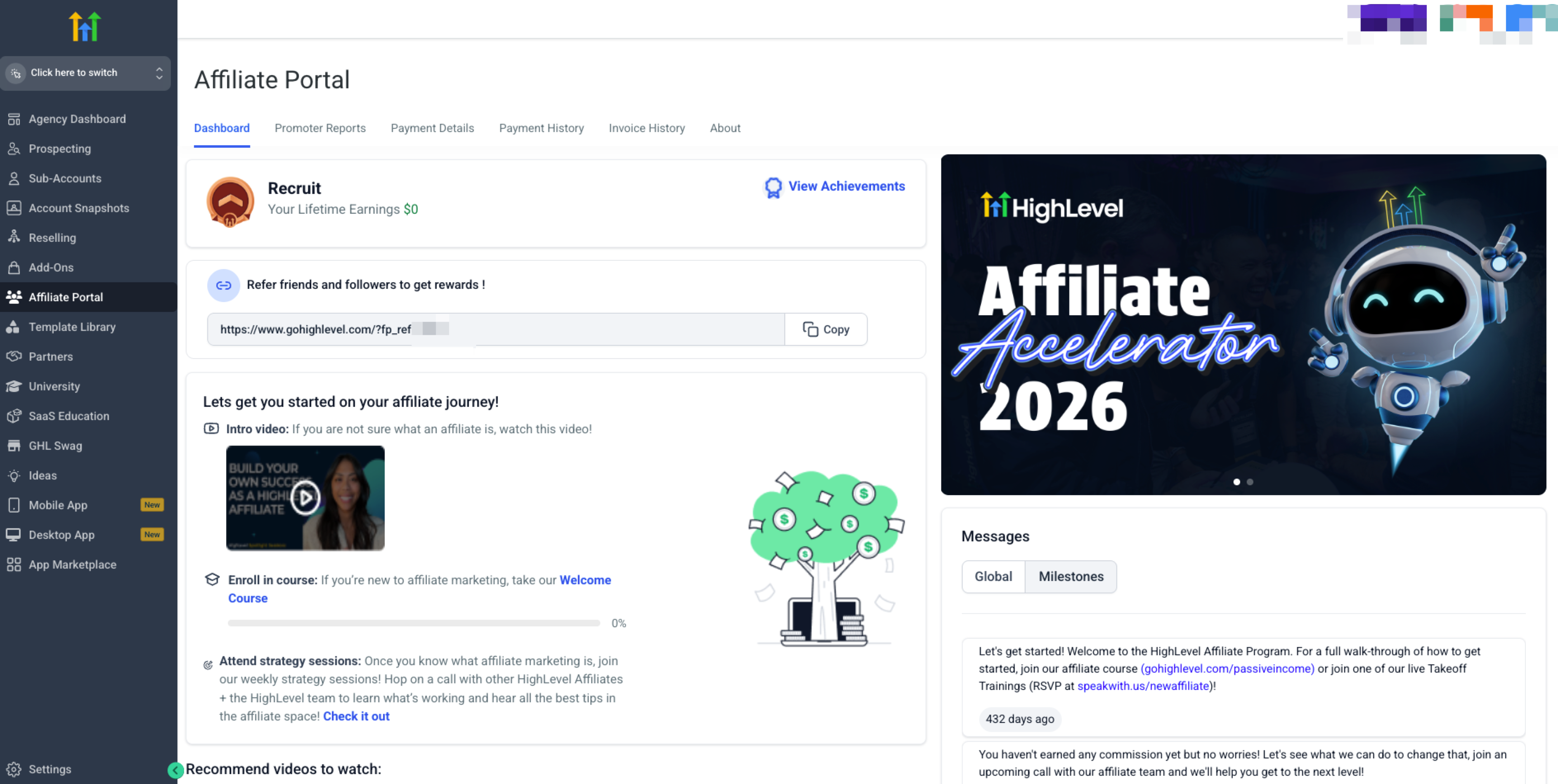
The Affiliate Portal lives inside the HighLevel platform when you are in Agency View. From the left navigation menu you select Affiliate Portal to open the dashboard. The dashboard displays your unique referral link, program resources, and performance metrics.
Inside the portal you can accept the Affiliate Policy, edit the referral token on your link, create SubIDs for tracking, and set up payout preferences through Tipalti. All data is scoped to users with Agency Admin permissions.
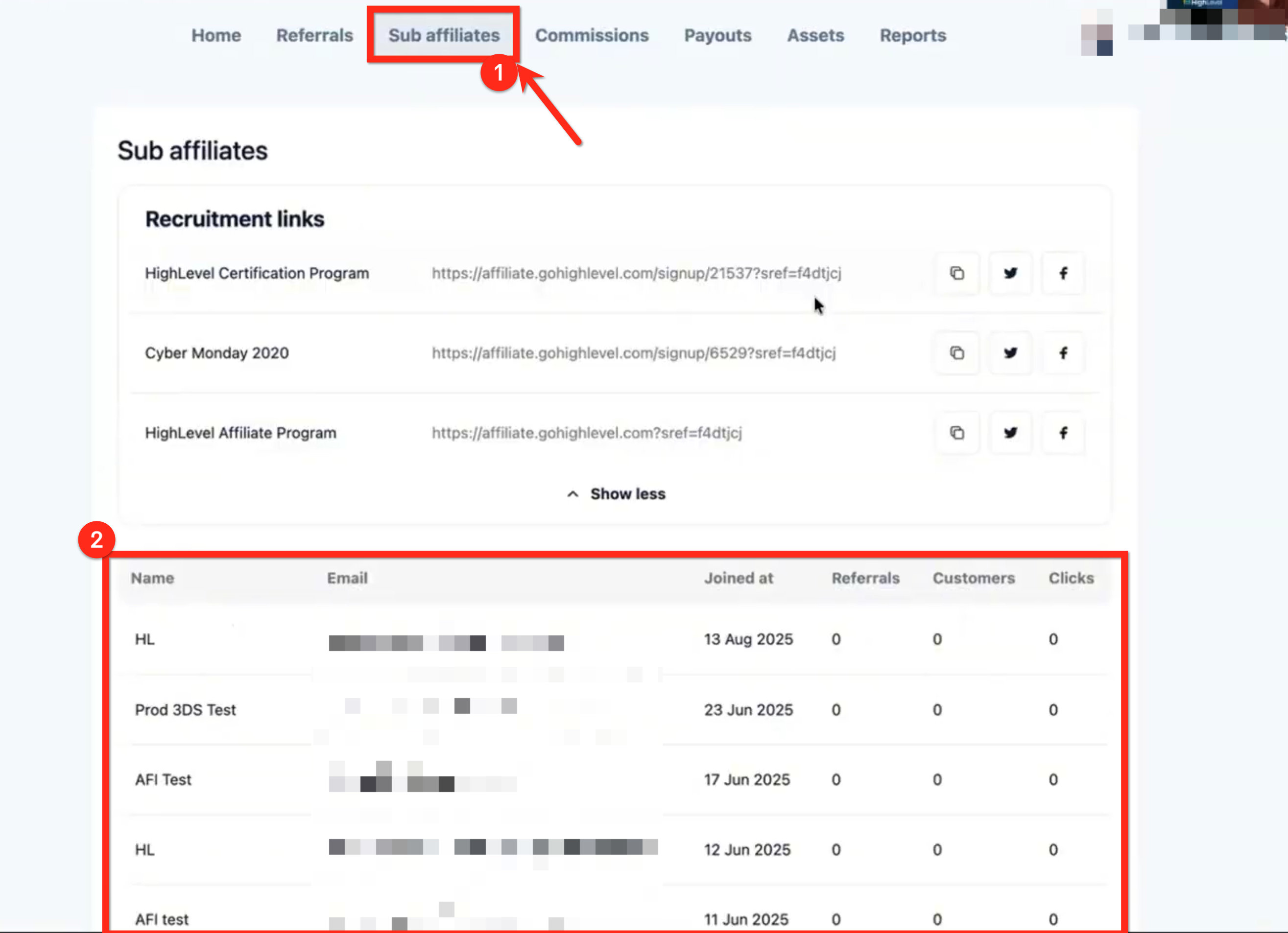
The portal also provides tabs for Referrals, Sub Affiliates, and Payment Details, letting you monitor who you have referred, any sub affiliates you recruit, and the status of your payouts.
03How businesses use affiliate portal
- Digital marketing agency. The agency logs into the portal, accepts the program terms, and customizes the token to match its brand. It then sets a preferred payout method in Payment Details to receive monthly commissions.
- SaaS Founder. The Founder accesses the dashboard, copies the main affiliate link, and creates SubIDs for different advertising channels. After a month of referrals, they view the Referrals tab to see new sign ups.
- Online course creator. The creator opens the portal, changes the referral token to reflect a specific course, and configures a PayPal payout method in Payment Details so commissions arrive directly to their account.
04The numbers and rules that matter
- 40% monthly recurring commission on referred customers.
- Payouts are approved and sent on the 15th of each month.
- Level 1 commission: 40% per month recurring.
- Level 2 commission: 5% per month recurring.
05Before you start
- You must be logged into a HighLevel account.
- You need Agency Admin permissions and must be in Agency View.
06How to set up and use affiliate portal in HighLevel
Access affiliate portal
- Log into your HighLevel account.
- Switch to Agency View if you are not already there.
- Click Affiliate Portal in the left navigation menu or go to https://affiliate.gohighlevel.com/login.
Accept affiliate terms
- In Agency View, select Affiliate Portal from the left navigation.
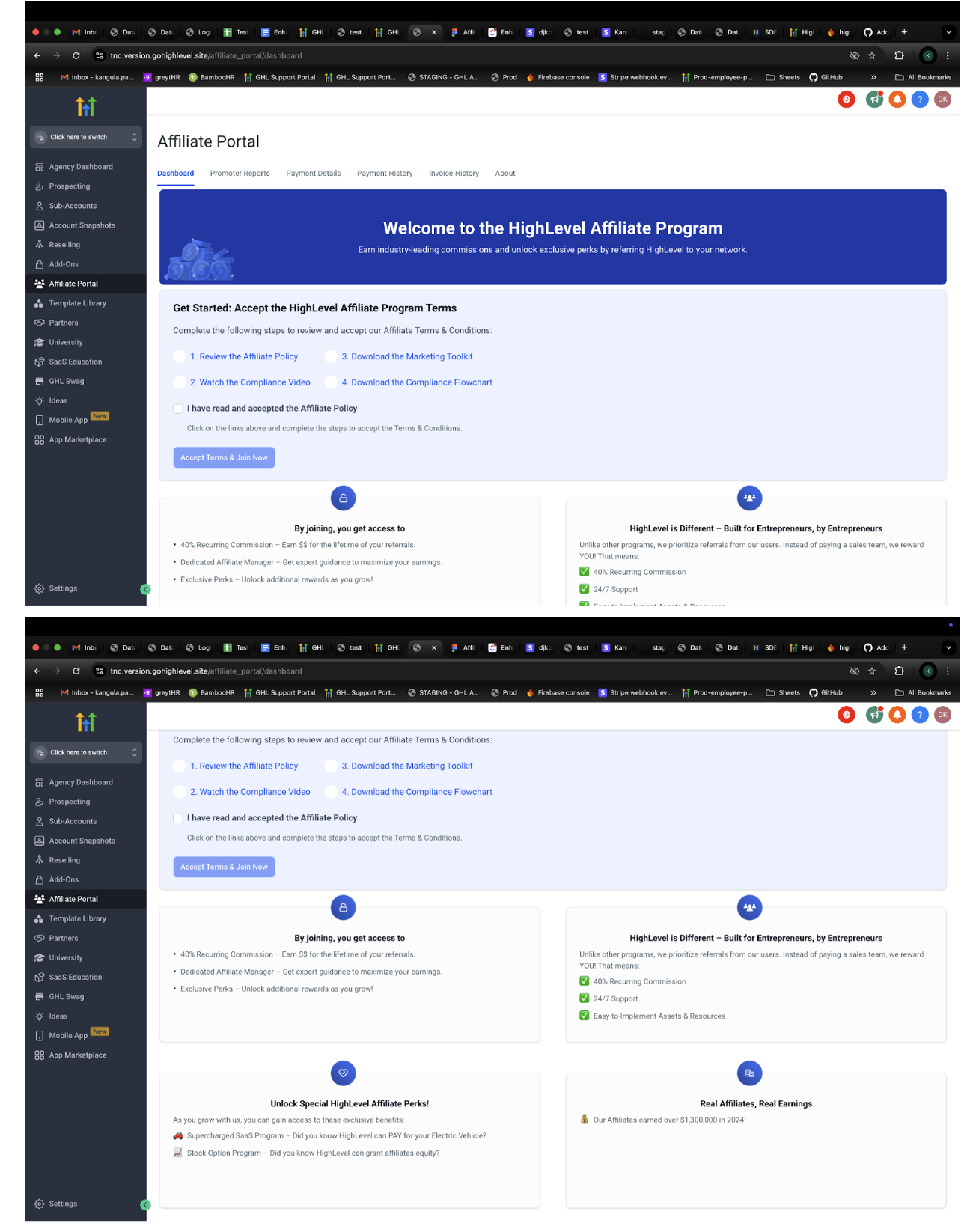
- On the Dashboard tab, review the Affiliate Policy, Compliance Video, Marketing Toolkit, and Compliance Flowchart.
- Check the box labeled I have read and accepted the Affiliate Policy.
- Click Accept Terms & Join Now to join the program.
Customize referral token
- Open Affiliate Portal and navigate to the HighLevel Affiliate Program campaign.
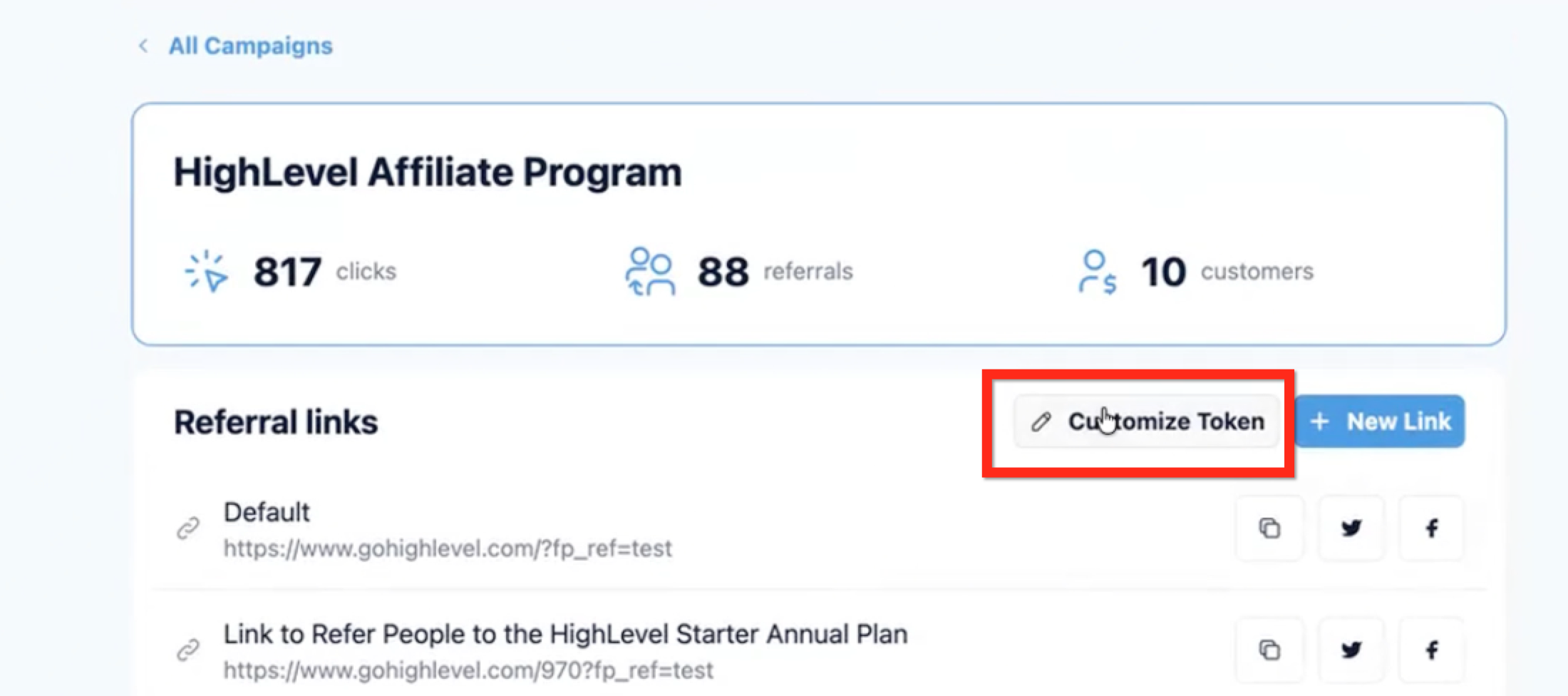
- Click the “Customize Token” button.
- Enter a new referral ID that is easy to recognize.
- Save the change to update your affiliate link.
- Warning: Changing the token deactivates any previously shared link; the old link will no longer track referrals.
Set payout preferences
- Open Affiliate Portal.
- Navigate to the Payment Details section.
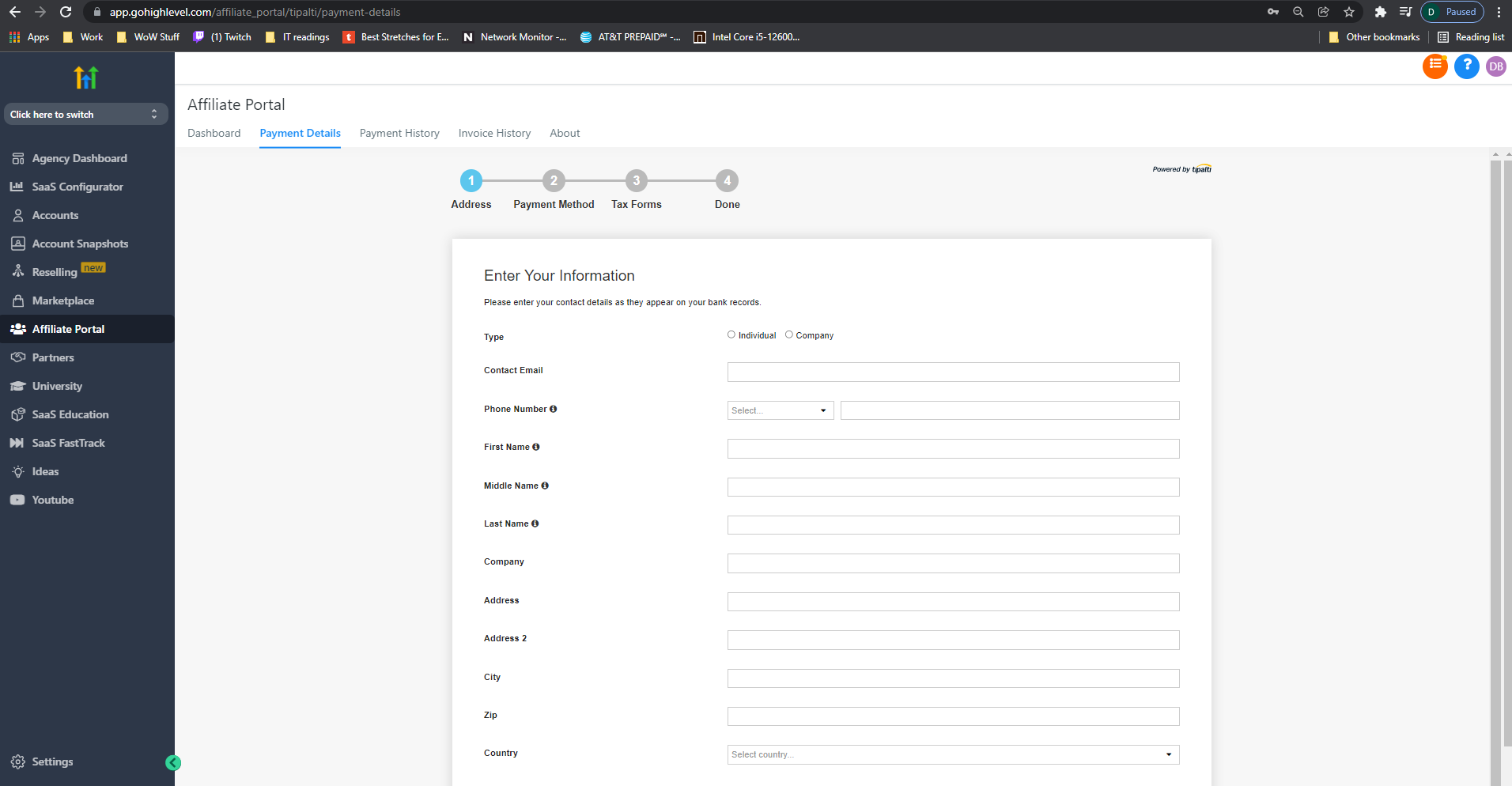
- Enter your chosen payment method information and complete any required tax forms.
- Save the settings to enable payouts through Tipalti.
07What it looks like in HighLevel
08Settings that matter
- Customize Token. Controls the trailing part of your affiliate link, allowing you to replace the default referral code with a custom identifier.
- Payment Details. Defines how you receive affiliate commissions, including payment method selection and tax information, processed via Tipalti.
09Things to know before you rely on it
- The portal and its features are visible only to users with Agency Admin permissions.
- Changing the referral token deactivates any previously shared link; the old link will no longer track referrals.
- Affiliate payouts are processed exclusively through the Tipalti platform; other payment methods are not supported.
- The portal is being updated, so some visuals or videos may not match the current interface.
10If something goes wrong
- Portal errors, pending payment status, or not receiving a payout. Refer to the help document linked in the portal for additional guidance.
11How it connects to the rest of HighLevel
- Details on affiliate payout schedule and methods Affiliate payouts
- Steps to become a HighLevel affiliate and start earning Become an affiliate
- Official branding assets for promotional use Brand kit
Michael's take

Wondering if the Affiliate portal is worth the time? It’s a straightforward place for Agency Admins to pull a link, see who’s signing up, and get paid each month. If I were starting, I’d lock in a clean, recognizable link right away so every click you track is yours.
The portal’s biggest advantage is the recurring commission. Once a client sticks around, you keep earning 40% every month. Set up your Tipalti account early, pick the payment method that fits your cash flow, and you’ll have a steady side stream without extra overhead.