
01Who this is for
- Agency owners who need a single file summarising client activity for reporting purposes.
- Marketing managers who require detailed communication metrics across multiple accounts.
- Operations leads looking to audit resource usage and performance across their subaccounts.
02SubAccounts list export, explained
The export tool gathers information such as IDs, user counts, email and text volumes, call durations, form submissions, reviews and funnel creations. It respects any filters you have applied on the Subaccounts page, so the CSV mirrors exactly what you see on screen.
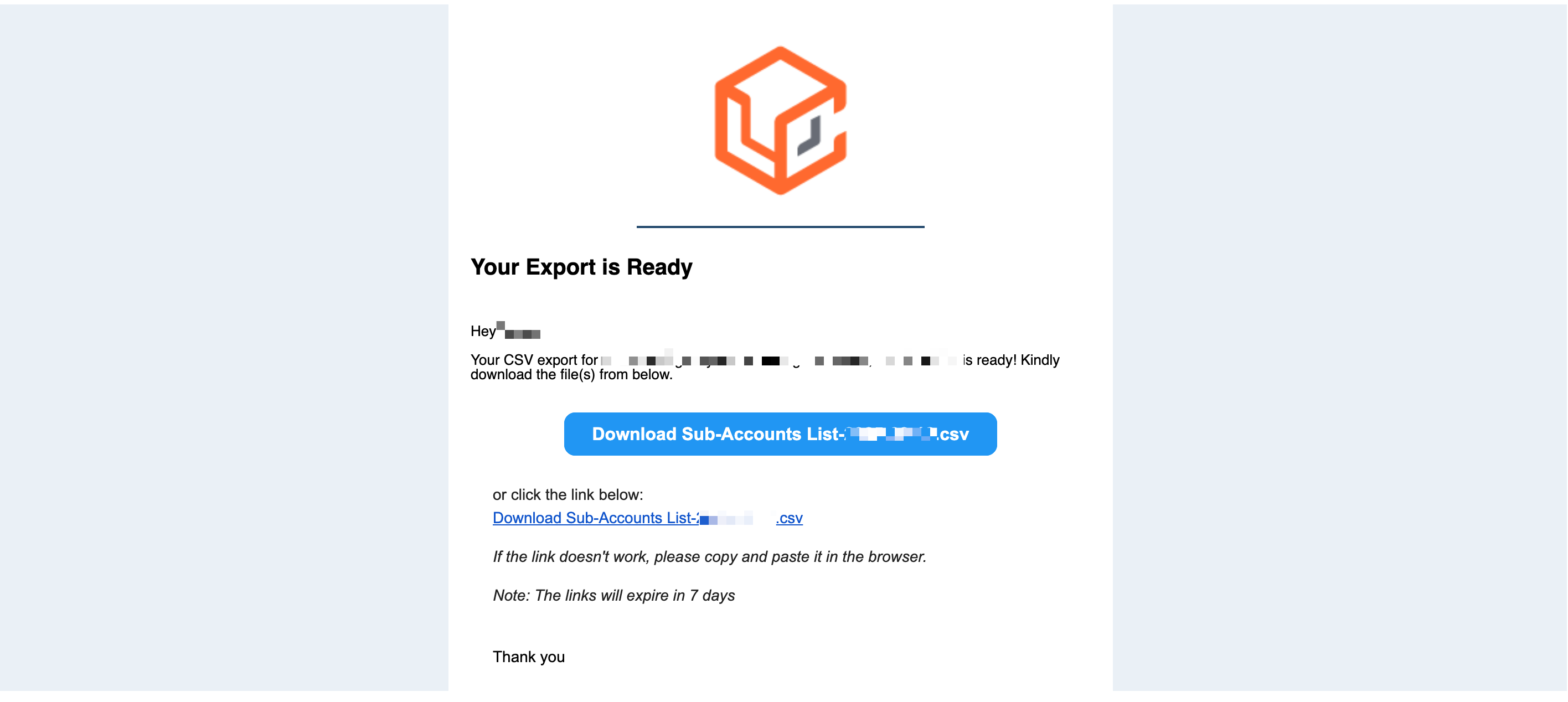
After you start an export, HighLevel processes the request in the background. Once the file is ready, an email containing a download link is sent to the recipients you selected. The link remains active for seven days, after which you must run the export again. This workflow removes the need for a constant open tab and supports thousands of records.
03How businesses use subaccounts list export
- Digital marketing agency. The agency filters its subaccounts to those on a specific snapshot, starts an export, and emails the CSV to the reporting team. The team then opens the file in a spreadsheet to build client performance reports.
- SaaS platform administrator. The admin applies a filter for SaaS enabled accounts, runs the export, and sends the output to the finance department. The CSV provides a consolidated view of user and communication counts for billing verification.
- Real estate brokerage. The brokerage selects agents’ subaccounts, exports the data, and forwards the emailed CSV to the sales manager. The manager reviews call and message activity to assess agent workload.
04The numbers and rules that matter
- CSV includes ID, Name, SaaS Enabled, Date Added, Active Users, Contacts, Number of Appointments Booked, Total Emails, Inbound Emails, Outbound Emails, Total Text Messages, Inbound Text Messages, Outbound Text Messages, Total Calls, Inbound Calls, Outbound Calls, Inbound Call Duration (hours), Outbound Call Duration (hours), Form Submissions, Survey Submissions, Facebook Lead Form Submissions, GBP Messages, Inbound GBP Messages, Outbound GBP Messages, Instagram Messages, Inbound Instagram Messages, Outbound Instagram Messages, Facebook Messages, Inbound Facebook Messages, Outbound Facebook Messages, Reviews, Google Reviews, Facebook Reviews, Positive Reviews, Negative Reviews, Sites Created, Funnels, Sites Created, Active Funnels, Sites Created, Websites, Sites Created, Active Websites, Sites Created, Forms, Sites Created, Active Forms, Sites Created, Surveys, Sites Created, Active Surveys.
- Typical processing time is 7, 10 minutes, longer for thousands of subaccounts.
- Download link expires after 7 days.
05How to set up and use subaccounts list export in HighLevel
Export a Subaccounts list CSV
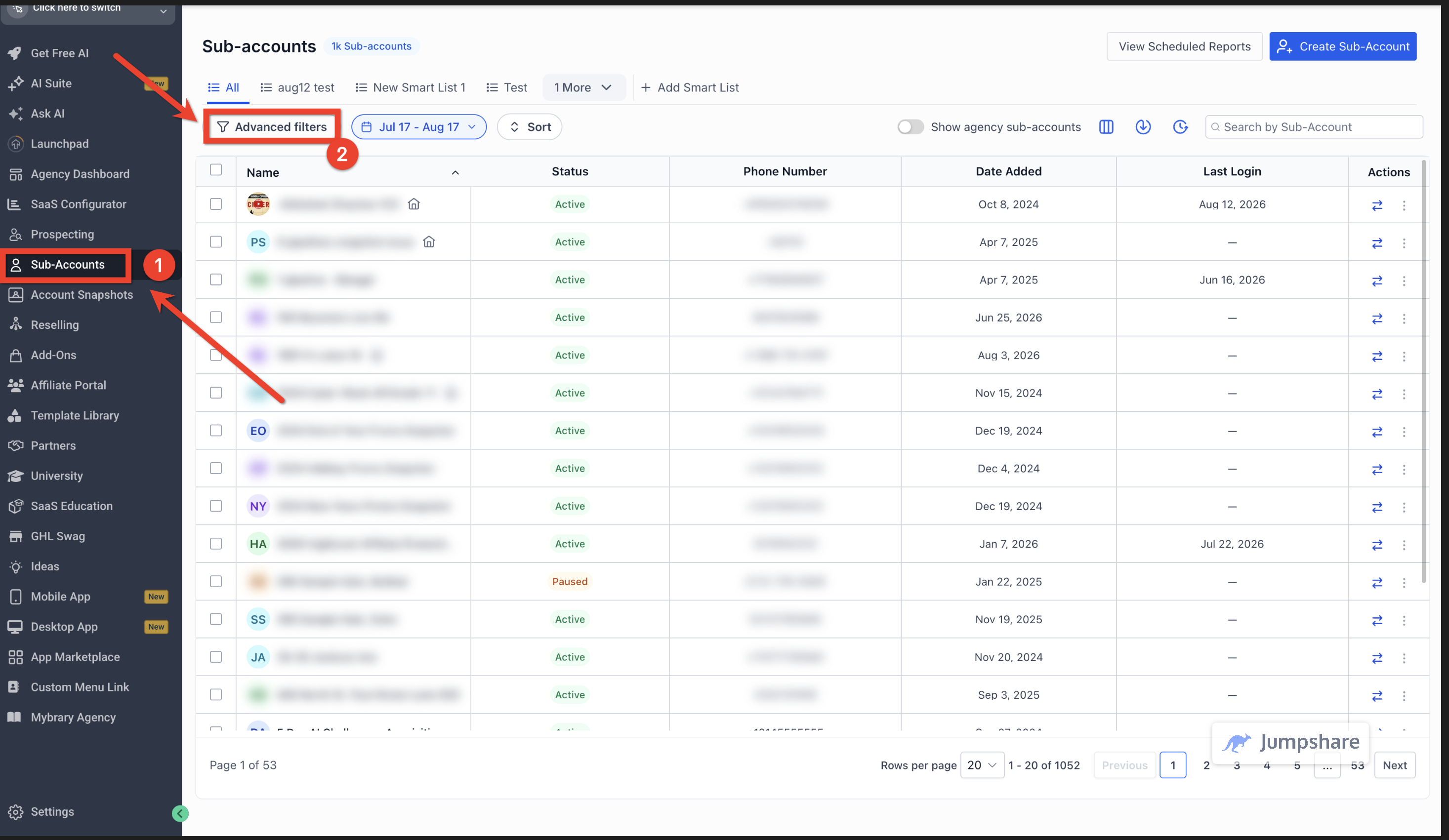
- Open the Agency Dashboard and click Subaccounts in the left navigation.
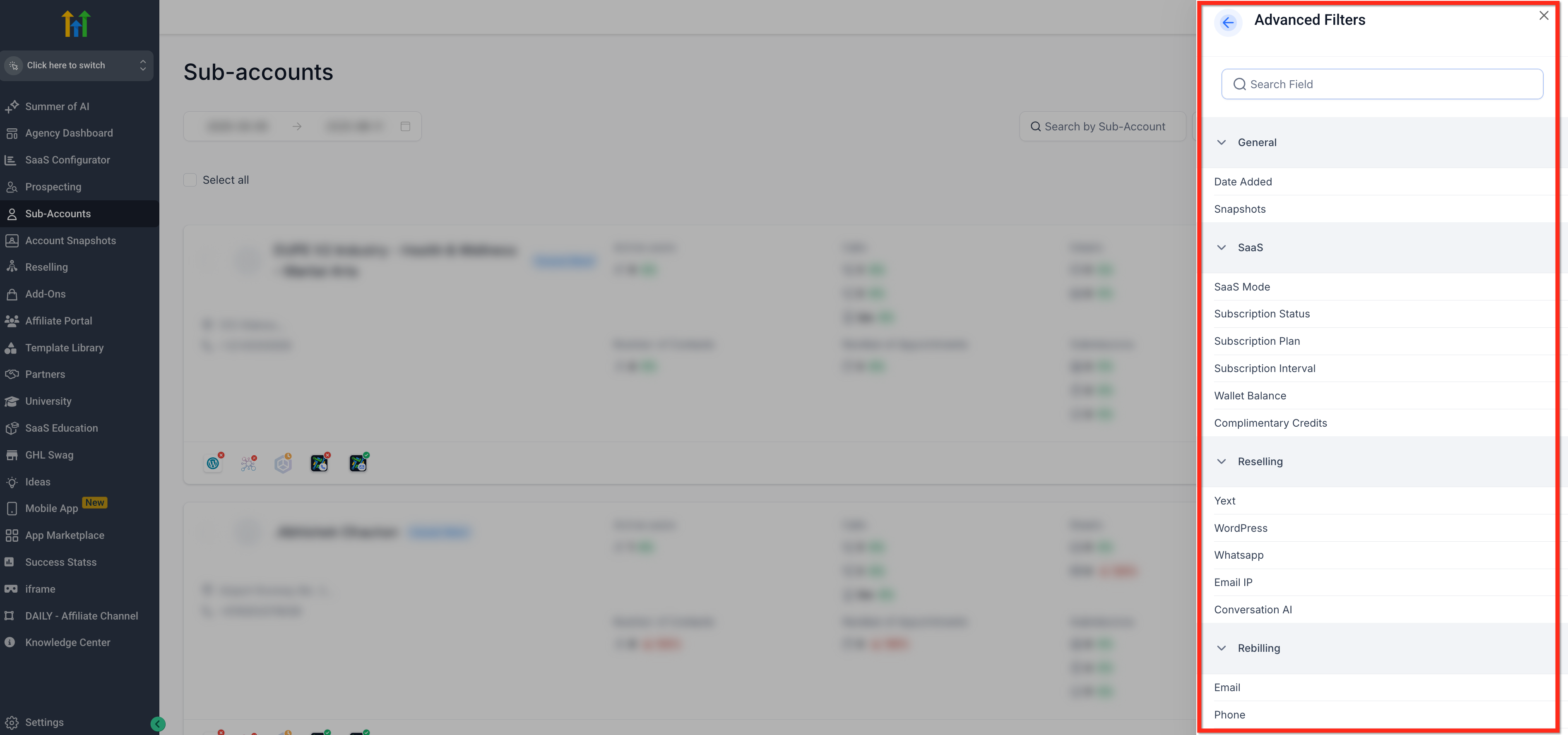
- Apply any desired filters to narrow the view to specific accounts.
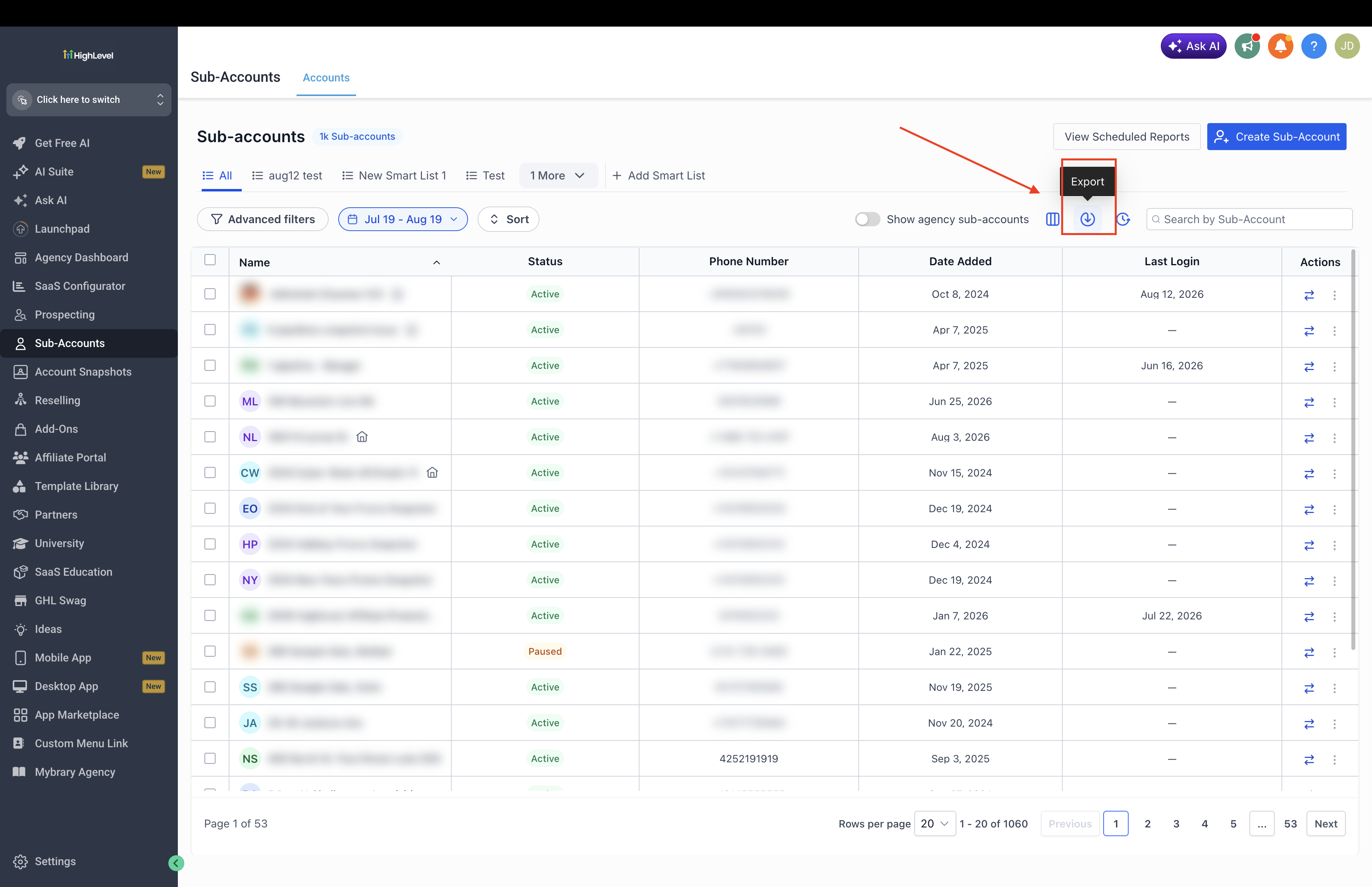
- Press the Export Report button located at the top right of the page.
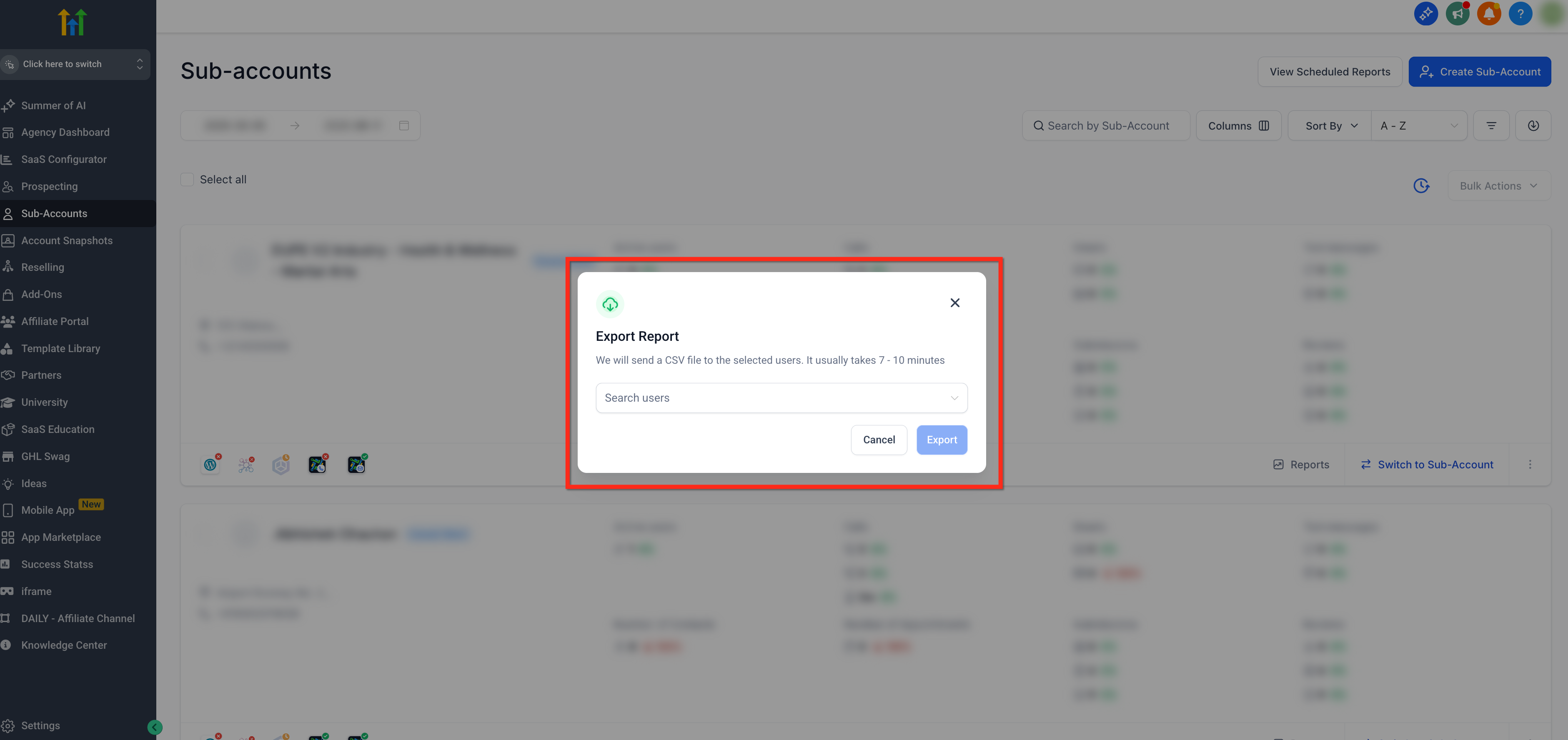
- In the popup, choose the teammates who should receive the file.
- Click the blue Export button to start the generation process.
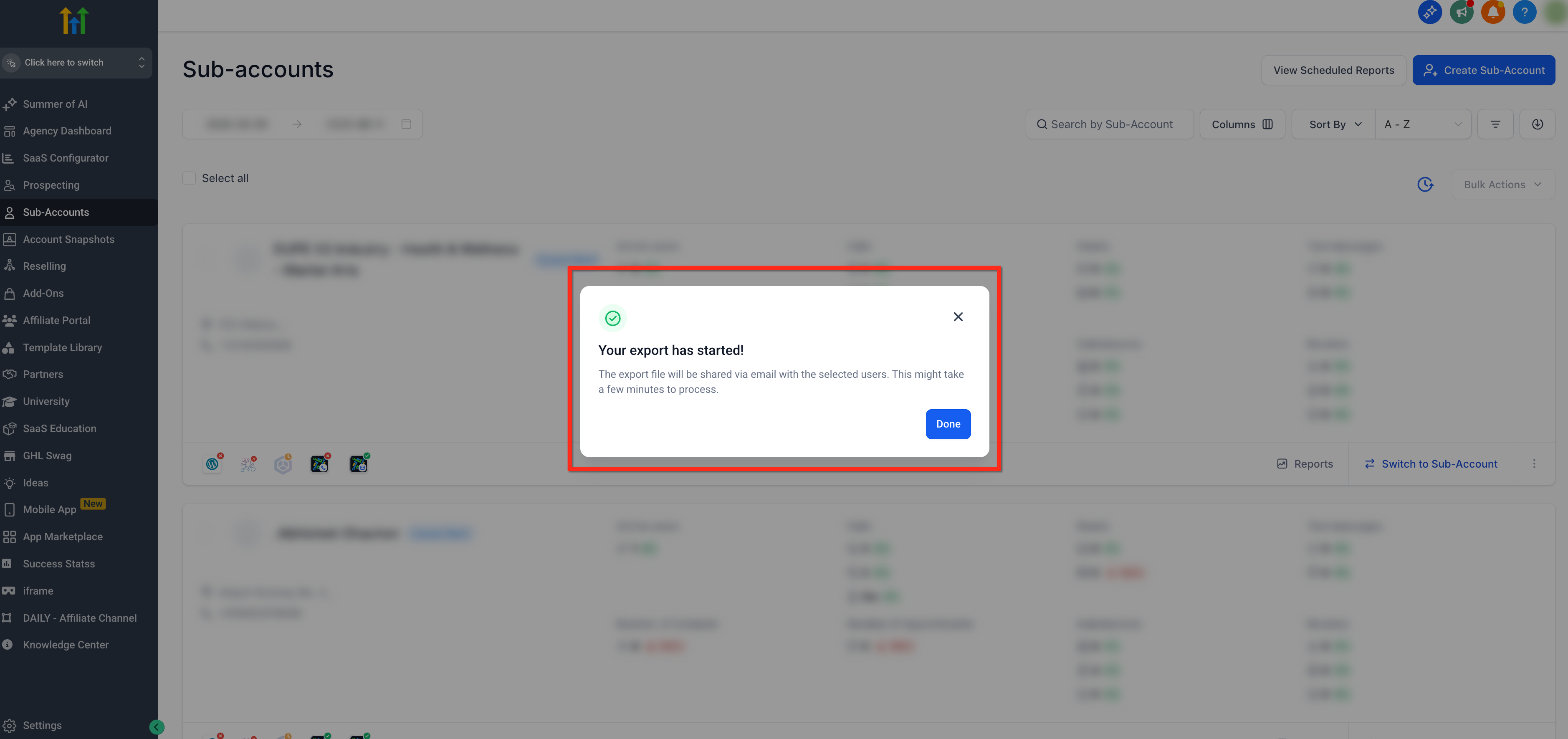
- A confirmation modal appears stating the export has begun.
- You may close the browser tab or continue working; the export runs in the background.
- Wait for the email that contains the download link to arrive.
- Open the email and click the blue Download button to retrieve the CSV file.
06What it looks like in HighLevel
07Settings that matter
- Export Report button. Initiates creation of the subaccount CSV based on the current filtered view.
- Recipients dropdown. Specifies which users will receive the export email with the download link.
08Things to know before you rely on it
- The feature can handle thousands of subaccounts efficiently.
- Email download links expire after seven days; a new export is required after that period.
- Typical processing time ranges from seven to ten minutes, but larger exports may need more time.
09If something goes wrong
- The email link has expired.. Run the export again using the same filters to generate a fresh link.
- Unable to download the file directly from the browser.. Wait for the export email and download the CSV from the provided link.
10How it connects to the rest of HighLevel
- Set up automated email reports for subaccounts Automated reports
- Explore rolled up reporting for agencies Rolled up reporting
- Review HighLevel pricing and plan details Pricing
- Start a 30 day HighLevel trial Free trial
Michael's take

Wondering how to get a quick snapshot of all your agency’s subaccounts without pulling data manually? The subaccounts list export does exactly that. It takes the view you’ve filtered, runs the report behind the scenes, and emails a ready to download CSV to your teammates.
If I were setting up a client performance review, I’d run the export, share the file with the account manager, and then dive into the activity columns to spot trends. Just make sure the filters are set the way you need them, then let HighLevel handle the heavy lifting.