
01Who this is for
- Agency owners who need a single view of all client performance, enabling quick assessment of activity across subaccounts.
- Marketing managers overseeing multiple locations, allowing them to track appointments, contacts and communications in one place.
- Analysts who require standardized columns for reporting, ensuring uniform data collection across every subaccount.
02Agency rolled up reporting, explained
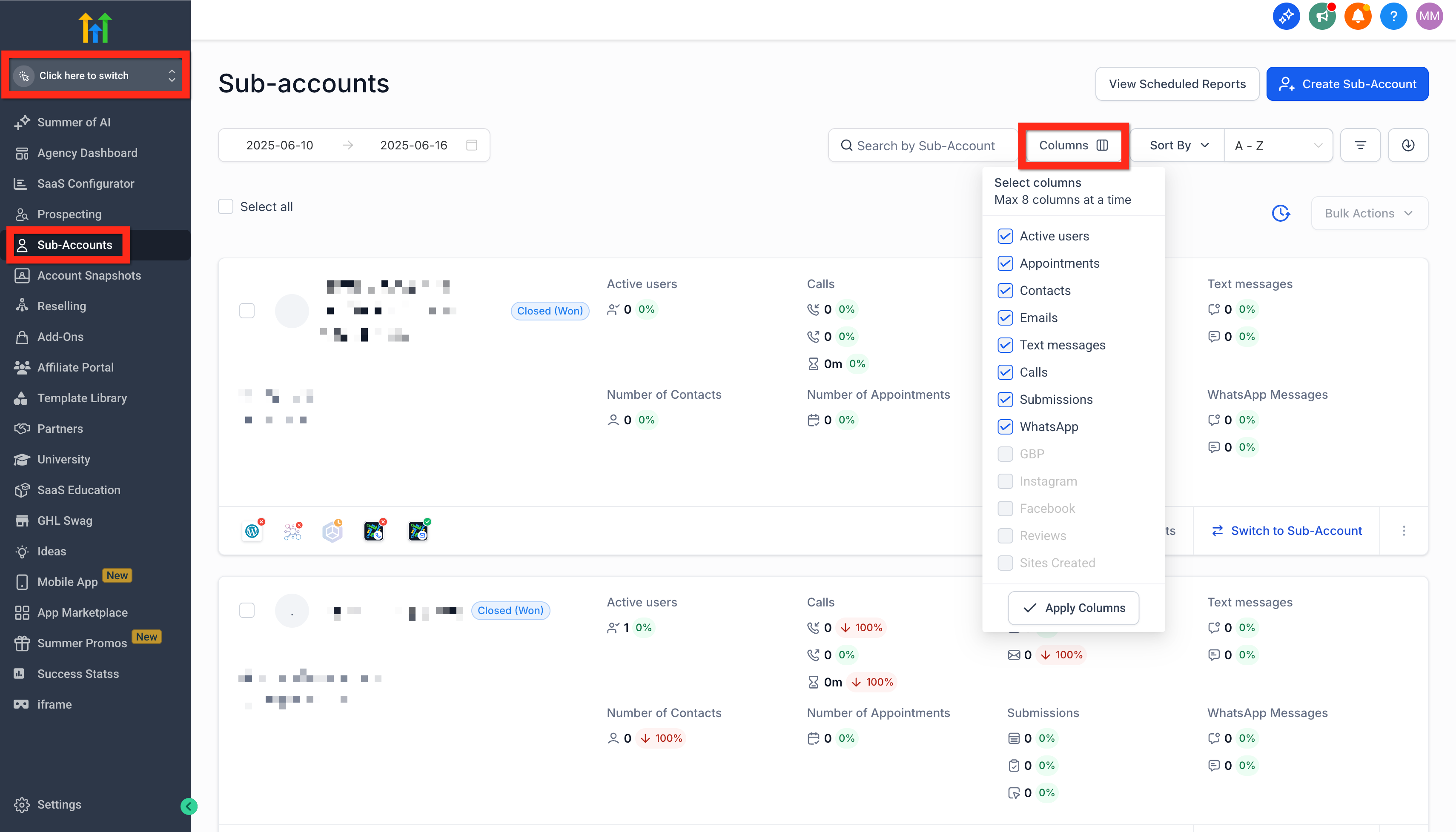
The feature pulls selected data points from each subaccount and displays them on summary cards in the agency account. Up to eight columns can be chosen, such as active users, appointments, emails, calls, submissions and reviews. The data reflects counts and totals within a defined timeframe.
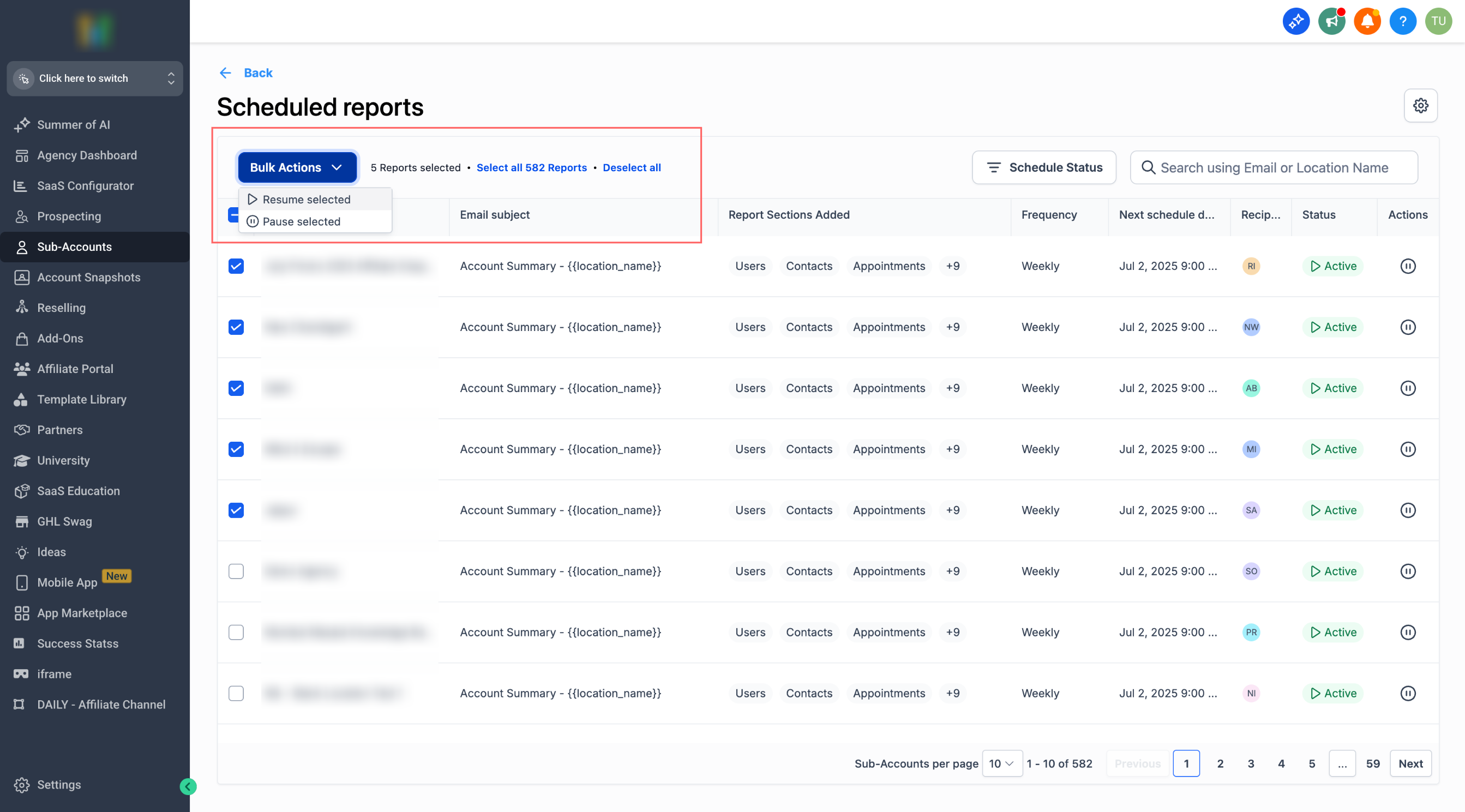
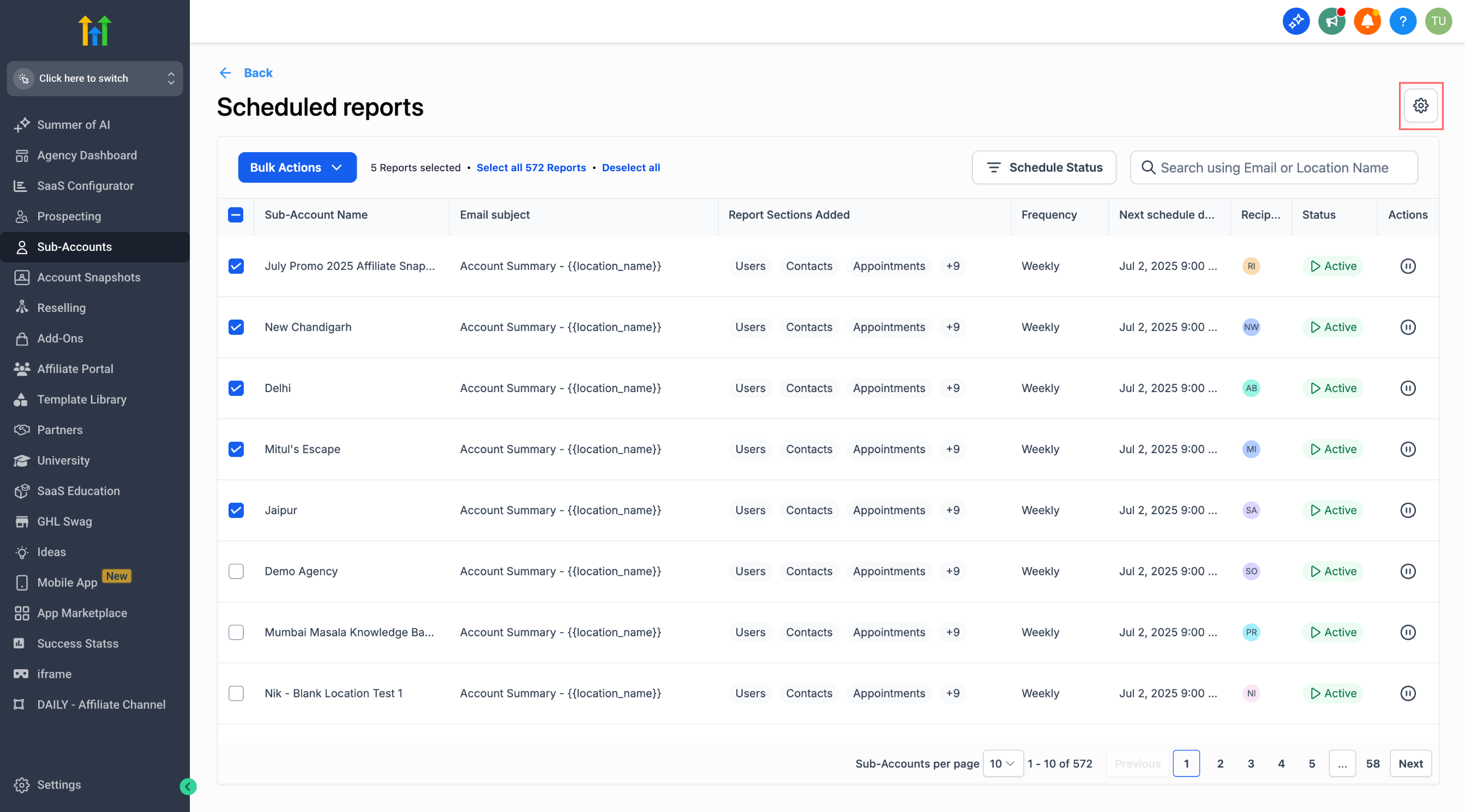
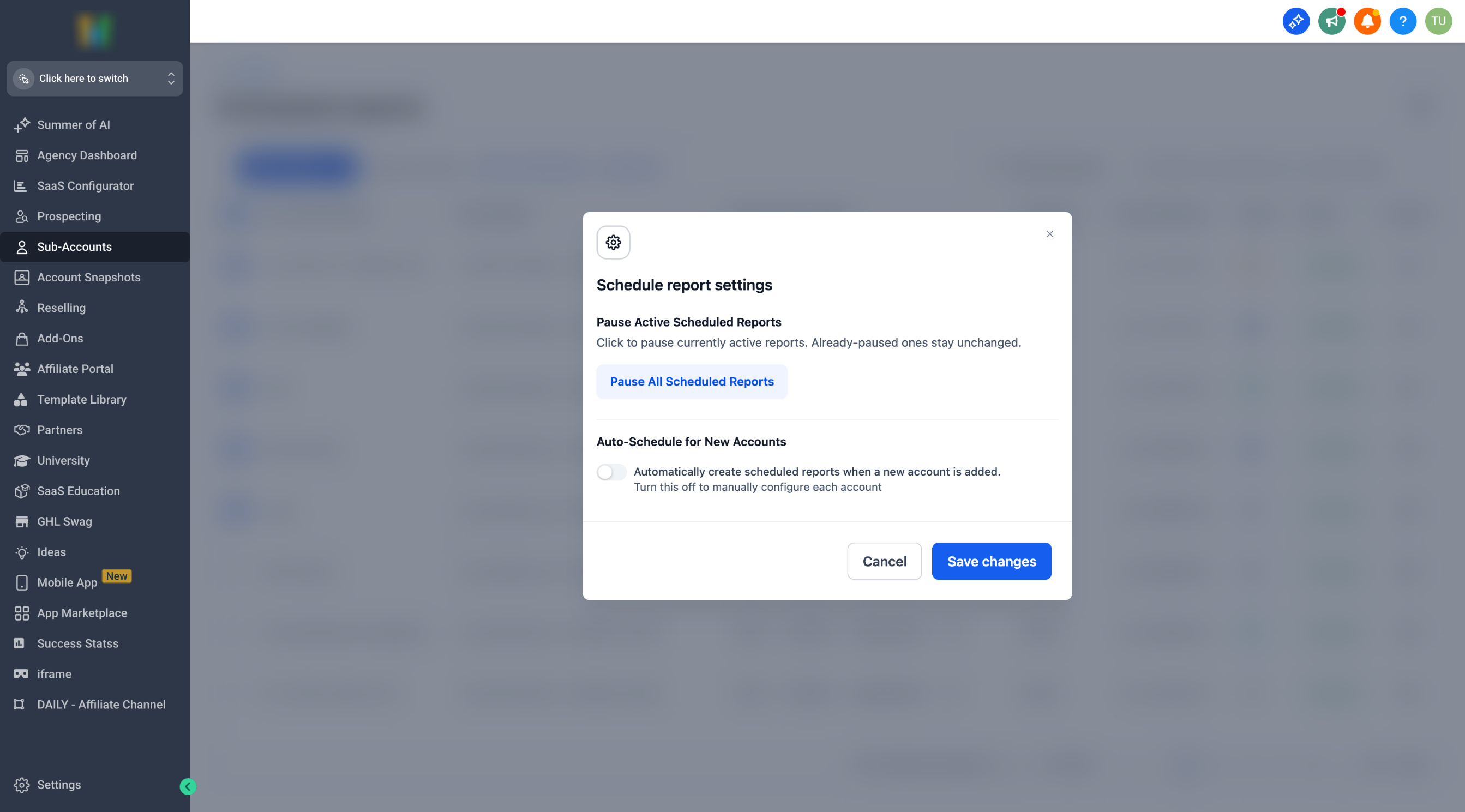
Reporting schedules are managed from the Agency View. A table lists every scheduled report for subaccounts. Users can select individual or multiple reports, pause or resume them in bulk, filter by status and set global behavior with the Settings panel. An auto create toggle determines whether new subaccounts receive default scheduled reports automatically.
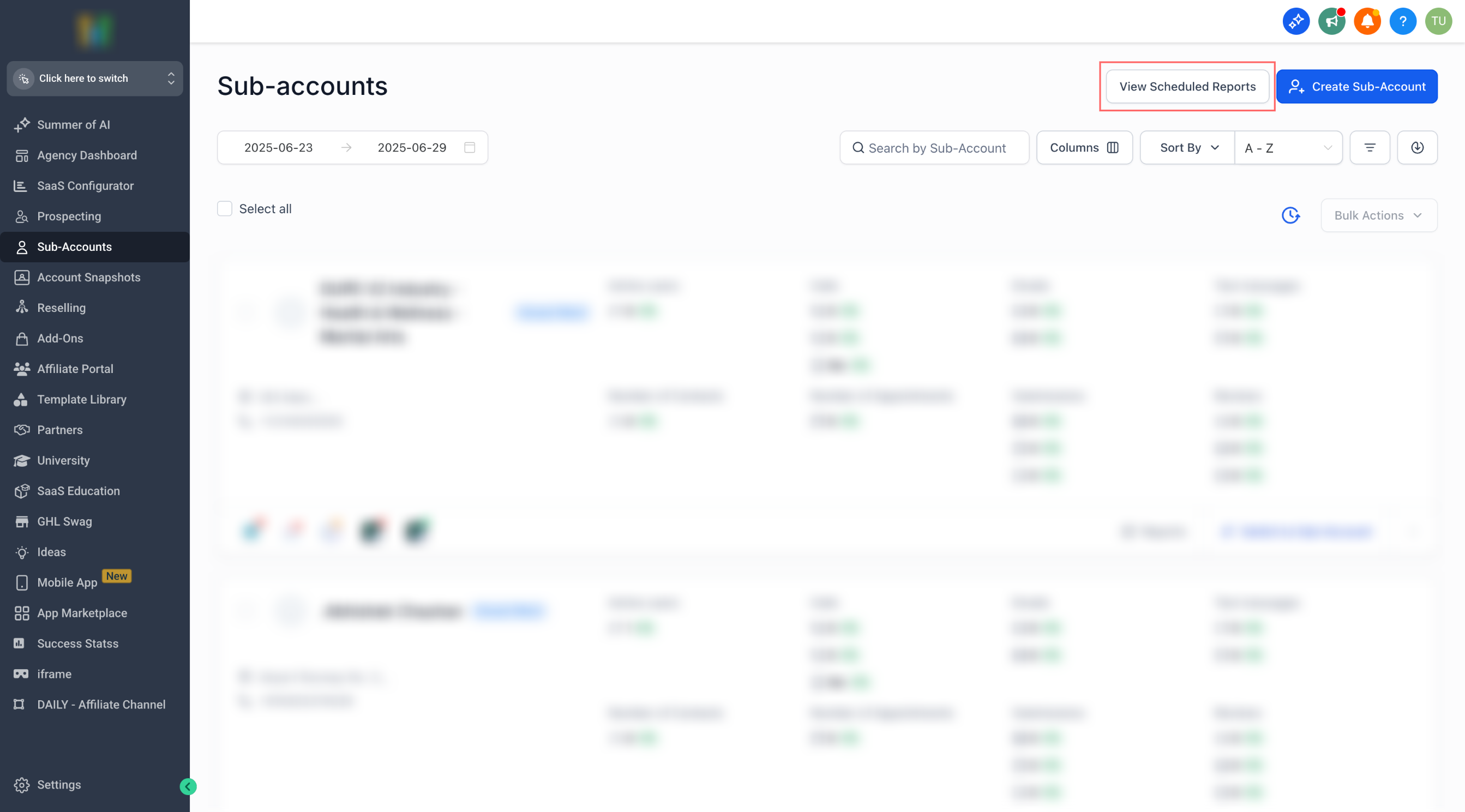
All controls reside under Agency Account > Subaccounts and Agency View > Subaccounts > View Scheduled Reports. The Columns button opens the column picker, and the gear icon opens the settings for scheduled reports.
03How businesses use agency rolled up reporting
- Digital marketing agency. The agency selects columns like appointments, emails and calls to show on each client’s summary card. It then uses the scheduled reports table to pause reports during a template change and resumes them afterward.
- Franchise consulting firm. The firm enables the Auto create toggle so every new franchise location automatically receives a baseline performance report. It later reviews the report list and disables auto creation for special onboarding cases.
- Healthcare network. The network chooses the Review and Sites Created columns to track patient feedback and new website launches across clinics. It filters the scheduled reports table for paused items to identify any missing deliveries.
04The numbers and rules that matter
- $497/month, $4970/year for the Pro Plan (per HighLevel's help center, checked November 2026).
- Select up to 8 columns for subaccount summary cards.
- Active users shown as count/total e.g. 79/100.
05Before you start
- Agency must be on the Pro Plan ($497/month, $4970/year) (per HighLevel's help center, checked November 2026).
- User must have Agency View access.
06How to set up and use agency rolled up reporting in HighLevel
Set up subaccount rolled up report columns
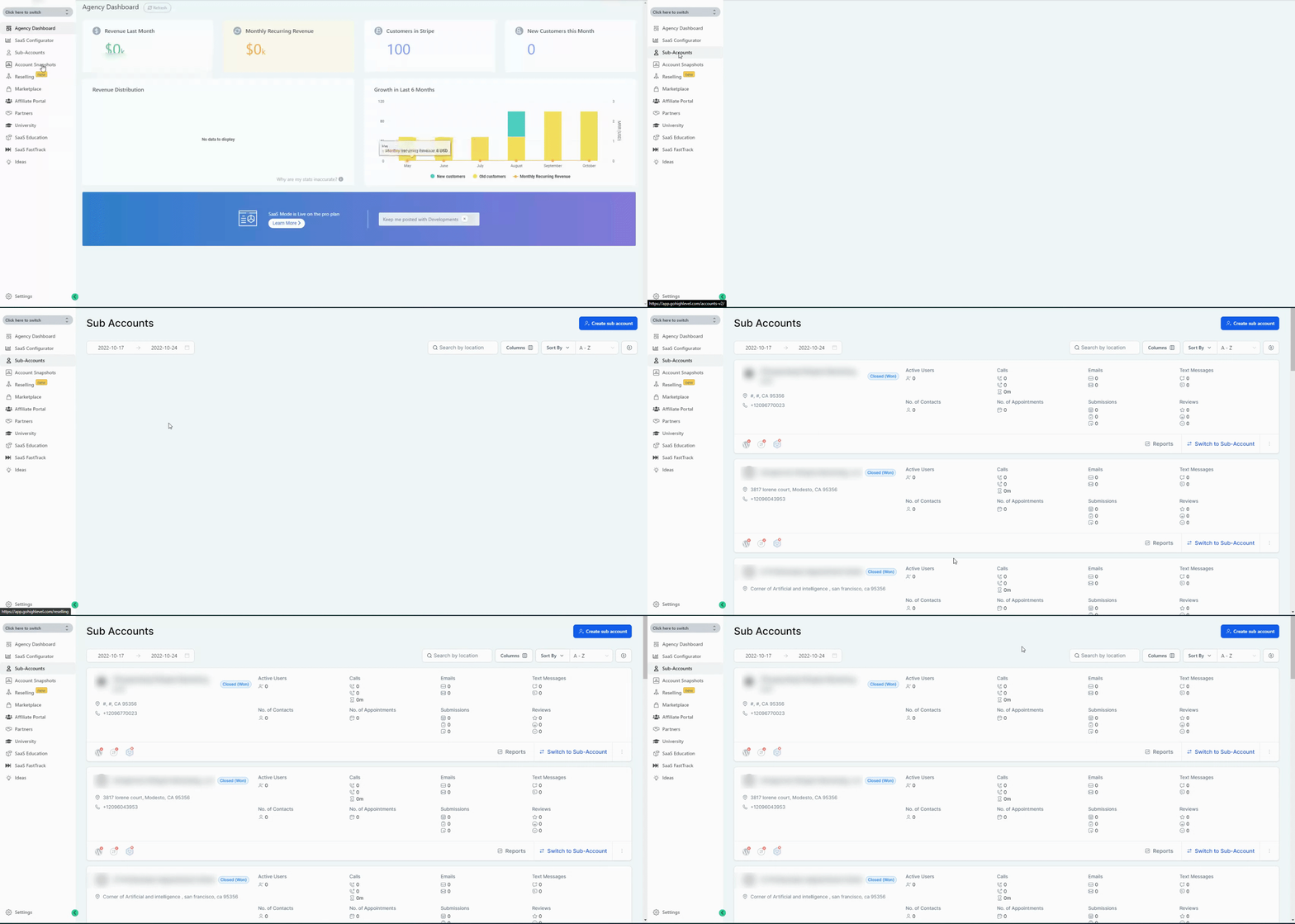
- Open Agency Account and navigate to Subaccounts.
- Click the Columns button.
- Select up to eight desired columns from the list.
Manage scheduled reports for subaccounts
- Go to Agency Account > Subaccounts > View Scheduled Reports.
- Use the checkboxes to select one or more reports.
- Choose Pause or Resume from the bulk actions bar.
- Click the Settings (gear) icon to pause all reports or toggle auto creation for new subaccounts.
07What it looks like in HighLevel
08Settings that matter
- Pause All Scheduled Reports. Immediately halts every scheduled report listed at the agency level until manually resumed.
- Auto, create scheduled reports for new sub, accounts (toggle). When turned on, default scheduled reports are generated automatically for each newly added subaccount.
09Things to know before you rely on it
- Feature is only available on the Pro Plan.
- A maximum of eight columns can be selected for the rolled up report.
- Auto create applies only to newly added subaccounts after the toggle is set.
10How it connects to the rest of HighLevel
- All Agency Reporting features Agency Reporting overview
- Automate subaccount performance reports in HighLevel Report scheduler guide
- HighLevel pricing and plans Pricing page
Michael's take

Agency owners often need a single snapshot of how every client account is performing. The rolled up view helps by pulling key numbers into one dashboard. The first setting I would get right is the column selection. Pick the metrics that matter most to your agency’s health.
Once the columns are set, I would turn on Autocreate for scheduled reports only if my onboarding process can handle a baseline report without manual tweaks. Otherwise I keep it off and review each new client’s template before the first send.