
Home/CRM guide/Best CRM for financial advisors
CRM guide · Financial advisors
The best CRM for financial advisors. Six options, compared honestly.
Advisory firms need a CRM that keeps prospects warm, books meetings and reminds clients about reviews. They also carry record keeping duties that most software does not handle alone. This guide compares six options and says where each one fits.

The short answer
The best CRM for financial advisors is usually a purpose built system such as Wealthbox, Redtail or Advyzon when the firm needs custodian integrations and archiving. GoHighLevel fits advisors who need prospect nurture, meeting booking and review reminders, and it should be paired with a compliance archive your firm approves.
Michael is a sponsored HighLevel affiliate. Links to HighLevel use his partner link at no extra cost to you. HighLevel prices and product facts on this page come from HighLevel's own pricing page and help center, checked on the date above.
The jobs
What must a CRM for financial advisors do?
A CRM for financial advisors has four jobs: prospect nurture, meeting booking, review reminders and compliant record keeping. The first three are about relationships. The fourth is about records, and it is the one that rules tools in or out.
| Job | What good looks like |
|---|---|
| Prospect nurture | Every inquiry and first meeting gets steady follow up that compliance has approved |
| Meeting booking | Prospects and clients book from a link, with confirmations and reminders sent for you |
| Review reminders | Clients due for a review get an invitation on a schedule, not only when they ask |
| Compliant record keeping | Business communications are retained and searchable the way your firm requires |
Most advisors feel the first three every week. A prospect goes quiet after one meeting. An annual review slips. A referral never gets a call back. Good software closes those gaps without adding staff.
The fourth job is different. Registered advisers and broker dealers in the United States have books and records obligations under SEC and FINRA rules, and those obligations reach business communications. Your compliance team decides what must be kept, for how long and in which system. Start every CRM conversation there. This page is not legal advice.
Compare
Which CRM is best for financial advisors? Six options compared.
No single CRM is best for every advisory firm. Purpose built systems win on custodian data and archiving. General platforms win on marketing and follow up. The table covers four systems built for financial services, one general CRM and GoHighLevel. Descriptions come from each vendor's own website, checked on November 11, 2026. Prices change and often vary by seat, so this page does not list them for other vendors. Ask each one for a current quote.
| Tool | Built for | What it offers | Check before you choose |
|---|---|---|---|
| Wealthbox | Financial advisors and their firms | Client records with history, notes and activity, team workflows, and a long list of integrations that includes Charles Schwab and Fidelity | That your custodian and planning tools are on the integration list |
| Redtail | Financial services, from solo practices to enterprises | CRM plus its own compliant text messaging, document management and email archiving products | Which of those products your plan includes, and whether your broker dealer approves them |
| Advyzon | Advisory firms that want one platform | CRM alongside portfolio management reporting, billing, a client portal and secure document management | Whether you want to move reporting and billing as well as the CRM |
| Salesforce Financial Services Cloud | Banking, wealth management and insurance teams | A single view of each client and household, with data brought together from custodians and other systems | What setup and administration will involve for a firm your size |
| HubSpot | Businesses in general | A general CRM with a free plan and paid editions | How you would handle archiving and custodian data, since it is not built for advisors |
| GoHighLevel | Businesses that need follow up and booking in one place | CRM, workflows for text and email, calendars with reminders, a sales pipeline and a client portal | That compliance approves the channels and the archive, since it is not a records archive on its own |

Read the table by type. Wealthbox, Redtail and Advyzon were built around advisory work, so custodian connections and document handling are part of the design. Salesforce Financial Services Cloud suits larger teams that want one client view across many systems. HubSpot and HighLevel are general platforms, strong on marketing and follow up, and they leave the industry specific pieces to you. For a closer look at one of those matchups, read HighLevel vs Salesforce.
The category
What is a wealth management CRM, and do you need one?
A wealth management CRM is a client database organized around households, accounts and review cycles. It usually connects to custodians, planning tools and portfolio software, so the relationship and the money sit in one record.
You probably need one if any of these are true:
- Your team works from custodian data every day and wants it inside the client record.
- Your firm or broker dealer names the systems you are allowed to use.
- You want archiving for email and text from the same vendor as the CRM.
- Several advisors and service staff share the same households and tasks.
A general platform can be enough if you are a solo advisor or a small team, your records already live in an approved system, and your real gap is follow up. Many practices fall in between and run two tools: an industry CRM as the record of truth, and a marketing platform for inquiries, nurture and booking. If you are new to the category, how to choose a CRM walks through a shortlist in six steps, and the CRM feature checklist gives you questions to take into each demo.
Honest fit
Is GoHighLevel a good fit for financial advisors?
Yes, for three of the four jobs. GoHighLevel, which many people also search as go high level or GHL, handles prospect nurture, meeting booking and review reminders well. It does not handle record keeping alone, and you should know that before you start.
Here is what it handles well for an advisory practice:
- Prospect nurture. A workflow alternates texts and emails and stops the moment the person replies or books. The lead nurture workflow guide shows the build.
- Meeting booking. Prospects and clients book from a calendar link. They get a confirmation right away, then the reminders you set, such as a day before and an hour before.
- Review reminders. You build a smart list of clients due for a review and send a booking invitation on a schedule.
- One view of prospects. Each prospect is an opportunity in a pipeline with stages you name.
- A client portal. Clients log in to one branded place for documents, booking and updates.
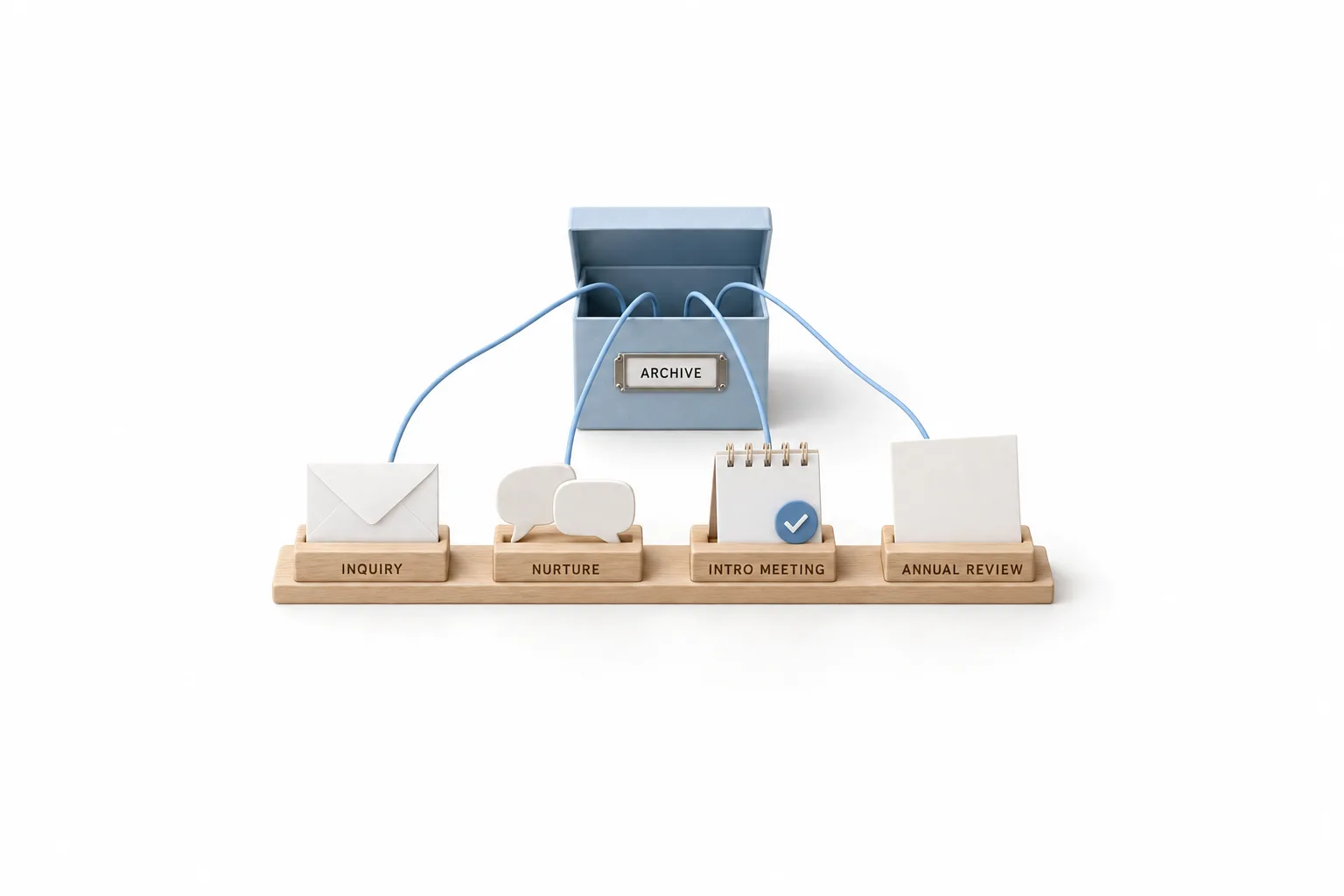
Here is what it is not. HighLevel is not portfolio, planning or custodial software. It is not a books and records archive on its own. Before you send a single client message, ask your compliance team how texts and emails from the platform must be retained and supervised, and which archive they accept. Keep advice and account details out of automated messages. Limit those messages to scheduling and general education that compliance has approved.
On cost, HighLevel plans are flat monthly prices with unlimited contacts and unlimited users. Calls, texts, email and AI are billed separately on usage.
| HighLevel plan | Monthly | Best for |
|---|---|---|
| Starter | $97 | One business, up to three subaccounts |
| Unlimited | $297 | Agencies with many clients |
| Founder Plan | $497 | Selling HighLevel under your own brand |
A single practice usually fits Starter.
Current plan details are on the GoHighLevel pricing page. The full rollout for a practice, week by week, is on GoHighLevel for financial advisors. HighLevel's standard trial is 14 days. The 30 day trial through Michael's link gives you time to build one nurture sequence and one booking calendar, show them to compliance and decide with real evidence.
Steps
How do you choose a CRM for financial advisors?
Work through these six steps in order. The first one saves the most time, because it removes tools your firm cannot approve.
- Ask compliance first. Get the retention and supervision requirements for email, text and social messages in writing before you look at any demo.
- List your integrations. Write down your custodian, planning software and portfolio tools, then check each vendor for those names.
- Pick your biggest gap. Decide whether you lose more from weak follow up with prospects or from scattered client records. That answer points you to a type of tool.
- Shortlist two or three. Compare them on the plan you would really buy, with the users and add ons you need.
- Test one real process. During a trial, build a single process end to end, such as inquiry to booked intro meeting, and run it with your own data.
- Check the exit. Ask how you export contacts, notes and documents if you change systems later.
More buyer guides for other kinds of practices are in the CRM guide.
Comparing tools before you commit? Read the best CRM for insurance agents. Comparing tools before you commit? Read the best CRM for mortgage brokers.
Avoid
What mistakes do advisors make when choosing a CRM?
Most mistakes come from treating the CRM as a marketing purchase and leaving compliance until later. Here are five to avoid.
- Buying before asking compliance. A tool your firm will not approve is a wasted purchase, however good the demo looked.
- Automating messages nobody approved. Approve the sequence first, then automate it.
- Performance talk in texts. Keep automated messages to scheduling and general education.
- Reviews only when the client asks. Invite clients on a schedule.
- Two systems, no record of truth. If you run an industry CRM and a marketing platform together, decide which one holds the official client record.

Schedule the next review before the current one ends. It keeps every relationship moving.
Through my link
Start HighLevel through my link and the CRM Pros team comes with it.
Same HighLevel price. The difference is who is in your corner for the first ninety days.
- Setup help in your first 7 days
- Your onboarding call with Michael’s team
- Three live calls every week: tech, sales and Michael’s own call
- The private affiliate community
- Snapshots, templates and email swipes
- Four apps: Prompt, Demo, A2P and Sales On Demand
The Founder Plan is HighLevel’s top plan at $497 a month. It is the former Agency Pro plan with an exclusive feature set, rebilling with markup and the Founders Club. The full breakdown is here.
The Founder PlanWhat it includes and who it is for
Questions
Common questions.
What is the best CRM for financial advisors?
There is no single winner. It depends on what the firm needs most. Purpose built systems such as Wealthbox, Redtail and Advyzon fit firms that want custodian integrations and archiving options close to the CRM. GoHighLevel fits advisors whose gap is prospect follow up, meeting booking and review reminders, paired with an archive the firm approves.
Is GoHighLevel compliant for financial advisors?
GoHighLevel is not a books and records archive on its own, and no CRM makes a firm compliant by itself. Your compliance team decides how texts and emails must be retained. Ask that question before you send any client message from HighLevel or from any other platform. This is not legal advice.
Do financial advisors need a CRM built for the industry?
Not always. A firm that needs custodian data, household records and archiving inside the CRM is better served by a purpose built system. A solo advisor who mainly needs steady follow up, online booking and review invitations can run those on a general platform, as long as compliance approves the channel and the archive.
How much does GoHighLevel cost for a financial advisor?
HighLevel Starter is $97 a month, Unlimited is $297 and the Founder Plan is $497. A single practice usually fits Starter, which includes unlimited contacts and unlimited users. Calls, texts, email and AI are billed separately on usage. The standard trial is 14 days, and through Michael's link it is 30 days.
Can a financial advisor use GoHighLevel alongside an industry CRM?
Yes. Some advisors keep client and account records in a purpose built CRM and use HighLevel for the front of the relationship: capturing inquiries, nurturing prospects and booking meetings. Decide which system is the record of truth, and confirm with compliance how messages sent from each one are retained.
Next step
See it in your own account. Thirty days, every feature.
Start a trial, build the first system and test it before the first invoice. Usage fees for phone, SMS, email and AI can apply during the trial.
HighLevel has three plans at a flat monthly price, each with unlimited users and contacts. See what each one includes and what it costs.
Compare the PlansStarter, Unlimited and Founder