
Home/AI receptionist/Recording and privacy laws
AI receptionist · Laws
Recording and privacy laws for AI receptionists. The basics.
An AI receptionist answers, records and transcribes calls. That makes AI receptionist recording and privacy laws part of the setup, not an afterthought. This page is general information, not legal advice.
The short answer
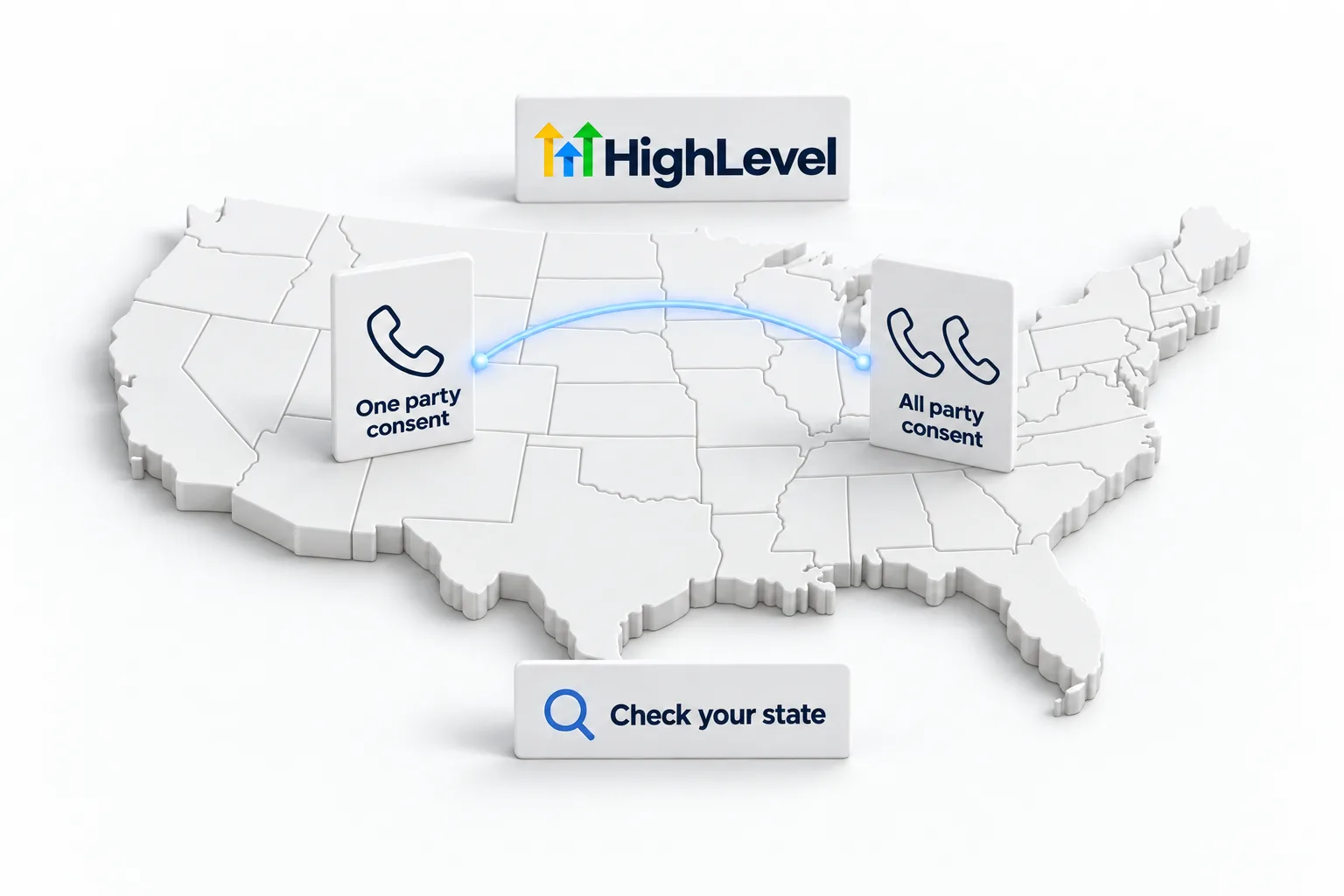
US federal law allows recording a call with one party's consent, but several states require all parties to consent, depending on where each caller is. In February 2024 the FCC confirmed AI generated voices are artificial voices under the TCPA, so outbound AI calls need prior consent. Safe practice: tell every caller the call may be recorded.
Michael is a sponsored HighLevel affiliate. Links to HighLevel use his partner link at no extra cost to you. HighLevel prices and product facts on this page come from HighLevel's own pricing page and help center, checked on the date above.
The rules
One party versus all party.
| Rule | What it means | Where |
|---|---|---|
| One party consent | One person on the call can consent to recording | Federal law, 18 U.S.C. 2511(2)(d), and most states |
| All party consent | Everyone on the call must consent | Commonly listed: California, Connecticut, Florida, Illinois, Maryland, Massachusetts, Montana, New Hampshire, Pennsylvania, Washington |
| Varies or disputed | Depends on the situation or court rulings | Delaware, Hawaii, Michigan, Nevada, Oregon |
AI voices
The FCC ruling on AI voices.
In February 2024 the FCC issued a declaratory ruling confirming that AI generated voices are "artificial" under the Telephone Consumer Protection Act. Calls that use them to deliver a message need the called person's prior express consent unless an exemption applies. This matters most for outbound AI calls.
Safe setup
Five safe practices.
- Start every call with a short notice that it may be recorded.
- Say that the caller is speaking with an AI assistant.
- Get prior consent before any outbound AI call.
- Limit who can access recordings and transcripts.
- Set a retention period and delete old recordings.
The greeting
What should the greeting say?
Keep it short and put it first. Something like this works for most businesses: "Thanks for calling. This is the virtual assistant for the office. This call may be recorded. How can I help?" It covers both points from the safe practices above in one breath.
In HighLevel Voice AI, the place for it is the agent's Welcome Message, which is what the agent says when it answers an inbound call. Do not leave the notice as a loose instruction in the prompt and hope the agent gets to it. Run a Web Call test and confirm the notice is the first thing you hear.
Where the data sits
Where do recordings and transcripts live in HighLevel?
Knowing where the data sits is the first step to limiting who can reach it. In HighLevel, or GoHighLevel as many people call it, recordings and transcripts sit with the conversation on the contact record. Calls handled by Voice AI also appear under AI Agents, Voice AI, Dashboard and Logs, with the recording, the conversation, the summary and the actions the agent took. A call that was transferred can show more than one recording. A recording only shows when call recording was enabled and available for that call.
That gives you two places to review access. Can HighLevel record calls has more detail, and if you handle health information, read is HighLevel HIPAA compliant before you launch.
Mistakes
What mistakes do businesses make with recording?
- Burying the notice. It belongs in the first line of the greeting, not halfway through the call.
- Assuming one state's rule covers every caller. Callers may be in other states, which is why many businesses follow the strictest rule.
- Treating inbound and outbound the same. Outbound AI calls need prior consent.
- Keeping recordings forever. Set a retention period and delete old recordings.
- Giving every user access. Limit who can open recordings and transcripts.
This page is general information, not legal advice. A lawyer should confirm the rules for your situation. For the setup side, see the Voice AI build guide and the scripts and prompts page. Start through Michael's link and the HighLevel trial runs 30 days instead of the standard 14.
What that trial includes is on the GoHighLevel 30 day trial page. Law firms carry extra intake rules on top of recording, covered in AI receptionist for law firms. When you are ready to build, follow the AI receptionist setup guide. For AI pricing, the AI plans overview compares pay per use with the monthly AI plans.

Put the recording notice in the first line of the greeting. It takes two seconds and removes most of the risk.
Questions
Common questions.
Is it legal for an AI receptionist to record calls?
Often yes with proper consent, but the rules vary by state. Telling every caller is the safe practice.
Which states require all party consent?
Commonly listed are California, Connecticut, Florida, Illinois, Maryland, Massachusetts, Montana, New Hampshire, Pennsylvania and Washington. Lists differ, so check current law.
Do outbound AI calls need consent?
Yes. The FCC confirmed in February 2024 that AI voices are artificial voices under the TCPA.
Where do I put the recording notice?
In the agent's Welcome Message, so it is the first thing every caller hears.
Where are AI receptionist recordings stored in HighLevel?
With the conversation on the contact record, and under AI Agents, Voice AI, Dashboard and Logs. A recording shows only when call recording was enabled and available for that call.
Does the AI have to say it is an AI?
This page treats it as a safe practice. Whether it is required depends on where you and your callers are, so check with a lawyer.
How long is the HighLevel free trial?
HighLevel's standard trial is 14 days. Through Michael's link it is 30 days. Usage fees for phone, SMS, email and AI can apply during the trial.
Next step
See it in your own account. Thirty days, every feature.
Start a trial, build the first system and test it before the first invoice. Usage fees for phone, SMS, email and AI can apply during the trial.
HighLevel has three plans at a flat monthly price, each with unlimited users and contacts. See what each one includes and what it costs.
Compare the PlansStarter, Unlimited and Founder