
Home/AI receptionist/For law firms
AI receptionist · Law Firms
An AI receptionist for law firms. Every intake call answered, no legal advice given.
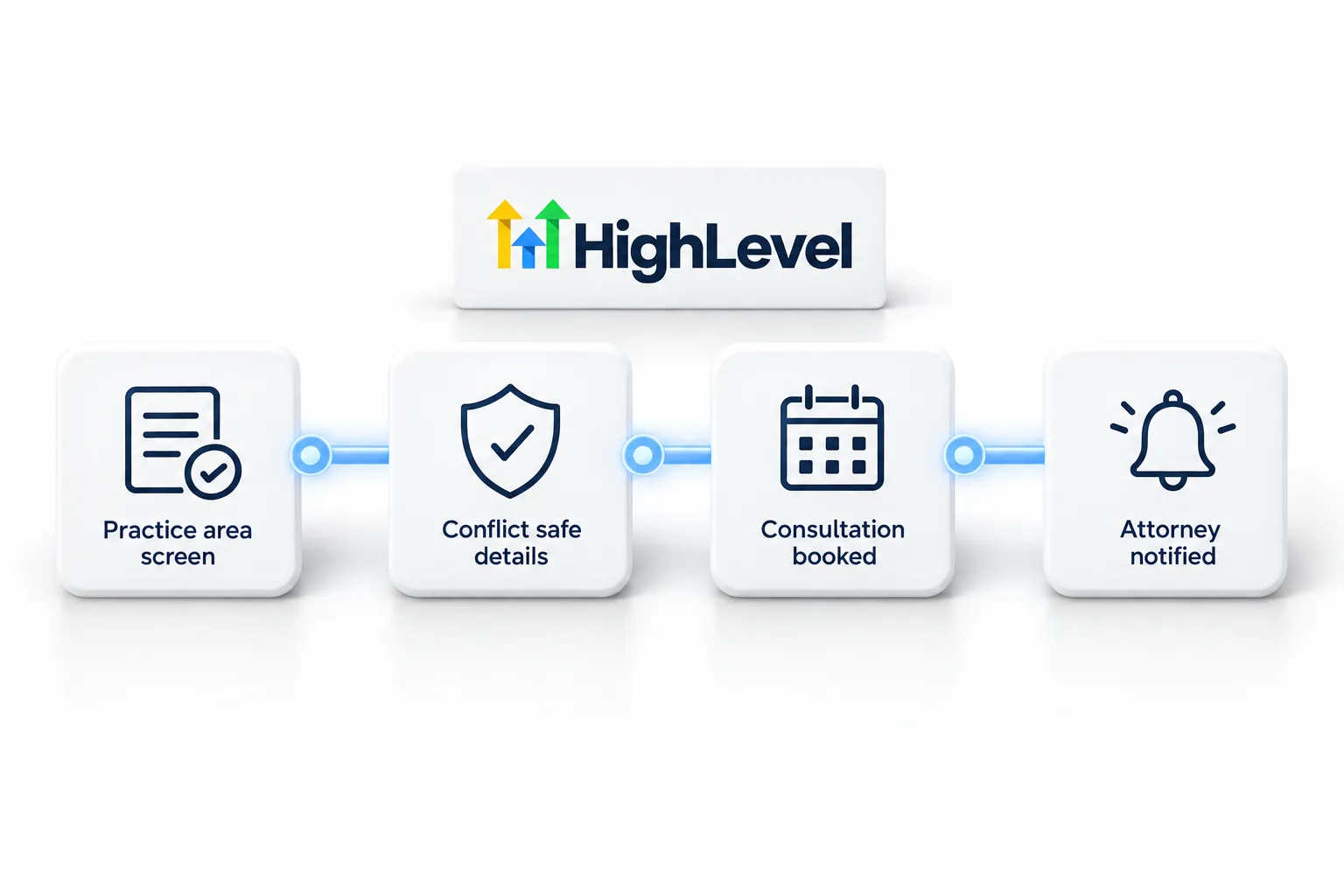
Potential clients often call a law firm in a stressful moment, and many call more than one firm. An AI receptionist answers every intake call, screens it by practice area, books the consultation and stays clear of anything that sounds like legal advice.
The short answer
An AI receptionist for law firms answers intake calls around the clock, screens callers by practice area, collects basic contact details, books consultations and transfers urgent matters such as court dates, while never giving legal advice or implying an attorney client relationship. It should also avoid collecting detailed facts until the firm has checked for conflicts.
Michael is a sponsored HighLevel affiliate. Links to HighLevel use his partner link at no extra cost to you. HighLevel prices and product facts on this page come from HighLevel's own pricing page and help center, checked on the date above.
The calls
The calls law firms get every day.
What an AI receptionist should handle for law firms, and what it should do with each call.
| Call | What the AI does |
|---|---|
| New potential client | Identifies the practice area, collects contact details and books a consultation |
| Do you handle my type of case? | Answers from the practice area list |
| Existing client wants their attorney | Takes a message or transfers |
| Court date tomorrow | Flags as urgent and transfers |
| Consultation fee question | Answers from the knowledge base |
Handoffs
When it goes to a person.
- Existing clients asking about their matter
- Urgent deadlines, arrests or court dates
- Anyone asking what they should do legally
- Callers who ask for an attorney
The knowledge base
What to load before day one.
- Practice areas you do and do not handle
- Consultation process and fees
- Office hours and locations
- A disclaimer that the call does not create an attorney client relationship
- What information intake may collect
Set it up
Live on HighLevel in a week.
- Create a Voice AI agent with a greeting that says it is a virtual assistant for your firm.
- Load the knowledge base above and write the handoff rules into the instructions.
- Connect your booking calendar (consultations by practice area) and your transfer number.
- Start with after hours and overflow calls; keep your team on the day shift.
- Add a follow up workflow: confirmation text, reminder and a task for anything unresolved.
- Listen to the first week of calls and tune the knowledge base.
The Voice AI build guide covers each step, and the AI receptionist guide covers the bigger picture. HighLevel Voice AI runs on HighLevel phone system or Twilio numbers, and is priced through AI Employee plans: Growth at $50 a month includes 100 minutes and Unlimited at $97 makes them unlimited under fair use, plus phone charges.
To build this in your own account, follow the AI receptionist setup guide for GoHighLevel and start with the GoHighLevel 30 day trial through Michael's link. The GoHighLevel AI pricing overview explains what each AI plan includes.
Worked example
What does a call sound like for law firms?
A caller rings in the evening after being served with papers. The agent says it is the firm's virtual assistant and that the call does not create an attorney client relationship. It asks what kind of matter this is, checks it against the practice area list and collects only the contact details intake is allowed to take. It books a consultation and states the consultation fee from the knowledge base. When the caller asks what he should do next, the agent says an attorney will discuss that at the consultation. A caller with a court date tomorrow is flagged as urgent and transferred.
When the call ends, HighLevel saves the transcript, the summary and the actions the agent took. You find them under AI Agents, Voice AI, Dashboard and Logs, and the booking sits on your calendar. This is a written illustration, not a recording. More calls like it are on the AI receptionist call examples page.
Fit
When does it fit law firms, and when does it not?
It fits firms that lose intake calls outside office hours, where the first job is to screen by practice area and book the consultation.
It fits less well where professional rules or firm policy require a person on every intake call. Check that with your attorneys before you build.
The AI receptionist is one part of the system. HighLevel for law firms covers the rest of the GoHighLevel setup. The balanced list is on AI receptionist pros and cons. The numbers side, with published figures and sources, is on AI receptionist ROI for law firms. If you want to try it, start through Michael's link and the HighLevel trial runs 30 days instead of the standard 14.
Mistakes
What mistakes should law firms avoid?
Most problems with a new AI receptionist are setup problems, not AI problems. These four come up most.
- Collecting too much on the call. Limit intake to what your conflict process allows and leave the facts of the matter for the consultation.
- Putting business hours in the prompt. A prompt is not a clock. Set Working Hours on the agent's Deploy tab, as shown in can Voice AI answer only after hours.
- Leaving a long ring time on the number. If voicemail picks up first, the agent never gets the call. When the agent answers directly, set the Timeout on the number's Call Forwarding tab to between 0 and 3 seconds. Fix Voice AI not answering calls has the full checklist.
- Going live after one test. Run a Web Call test first, then a Phone Call test. Transfers do not run in a Web Call, so test every handoff from a real phone.
Each agent links to one knowledge base at a time, so keep it tight and current. The steps are in build an AI knowledge base.
Comparing tools before you commit? Read the best CRM for law firms.

For firms, the value is the 8 PM call from someone who just got served. Answer it, book the consult and let the attorney do the rest.
Questions
Common questions.
Can an AI receptionist do legal intake?
It can screen callers by practice area, collect basic contact details and book consultations, around the clock. It must not give legal advice or imply an attorney client relationship. It should also avoid collecting detailed facts until the firm has checked for conflicts.
Does an AI call create an attorney client relationship?
It should not. Include a clear disclaimer approved by an attorney, and have the agent say that it cannot give legal advice. The agent screens, books consultations and transfers urgent matters. Ask an attorney in your firm to review the greeting and the disclaimer before launch.
Can it transfer urgent matters?
Yes, with rules for deadlines, arrests and court dates. Write the signs of an urgent matter into the agent's instructions, and it transfers those callers to the person you name. Test the transfer with a Phone Call test, because transfers do not run in a Web Call test.
How much does an AI receptionist for law firms cost?
On HighLevel, the AI receptionist runs on an AI Employee plan. Growth is $50 a month per subaccount with 100 Voice AI minutes, and Unlimited is $97 a month under fair use. Phone charges are separate and billed on every call, and the AI plan sits on top of your HighLevel plan at $97, $297 or $497 a month.
Can the agent screen by practice area?
Yes. Load the practice areas you do and do not handle, and write the rule that it books consultations only for matters on the list.
Can an AI receptionist for law firms answer only after hours?
Yes. Set Working Hours to a Custom Schedule on the agent's Deploy tab in HighLevel and pick the days and times. A Custom Schedule can run past midnight. The schedule does not update itself, so change it by hand for holidays. To catch missed daytime calls as well, set Call Routing to Use as Backup.
Where do I review the calls?
In HighLevel under AI Agents, Voice AI, Dashboard and Logs. Each call shows the transcript, the summary and the actions the agent took, plus the recording when call recording was on. Read the first week of calls closely and tune the knowledge base from what you find. Test calls are kept out of the dashboard analytics.
How long is the HighLevel free trial?
HighLevel's standard trial is 14 days. Through Michael's link it is 30 days. Usage fees for phone, SMS, email and AI can apply during the trial. That gives you 30 days to build the agent, load the knowledge base and test real calls before the first invoice.
Next step
See it in your own account. Thirty days, every feature.
Start a trial, build the first system and test it before the first invoice. Usage fees for phone, SMS, email and AI can apply during the trial.
HighLevel has three plans at a flat monthly price, each with unlimited users and contacts. See what each one includes and what it costs.
Compare the PlansStarter, Unlimited and Founder