
Home/AI receptionist/After hours answering
AI receptionist · After hours
After hours answering service. Three ways to cover closed hours.
Calls do not stop when the office closes. What happens next is your choice: a recording, a person taking a message, or an AI receptionist that books the job. This page compares the three and shows how a Voice AI agent in GoHighLevel can answer only when you are closed.

The short answer
An after hours answering service covers calls when the office is closed. There are three ways to do it. Voicemail records a message. A live answering service has a person take a message or follow your script. An AI receptionist answers, books appointments and transfers urgent calls. In GoHighLevel, a Voice AI agent can run only outside business hours.
Michael is a sponsored HighLevel affiliate. Links to HighLevel use his partner link at no extra cost to you. HighLevel prices and product facts on this page come from HighLevel's own pricing page and help center, checked on the date above.
The options
What are the three ways to cover after hours calls?
The three ways to cover after hours calls are voicemail, a live answering service and an AI receptionist. Doing nothing is still a choice, and it usually means voicemail.
Voicemail. The caller hears a greeting and leaves a message, or hangs up. It costs little and needs almost no setup. It cannot answer a question, book a time or tell an emergency from a routine request. Someone has to listen and call back the next day. AI receptionist vs voicemail looks at that gap in detail.
A live answering service. A trained person answers in your business name, takes the caller's details and follows the script you gave the service. Many can reach your on call person when a call meets your rules for urgent. The caller talks to a human, which matters on sensitive calls. The usual result is a message waiting for you in the morning.
An AI receptionist. A voice AI agent answers, replies to common questions from your knowledge base, offers open times from your calendar and books one while the caller is still on the line. It can transfer a call to your on call number when your rules say so. It follows your instructions, so calls nobody planned for should go to a person. The AI receptionist guide explains how the pieces fit together.
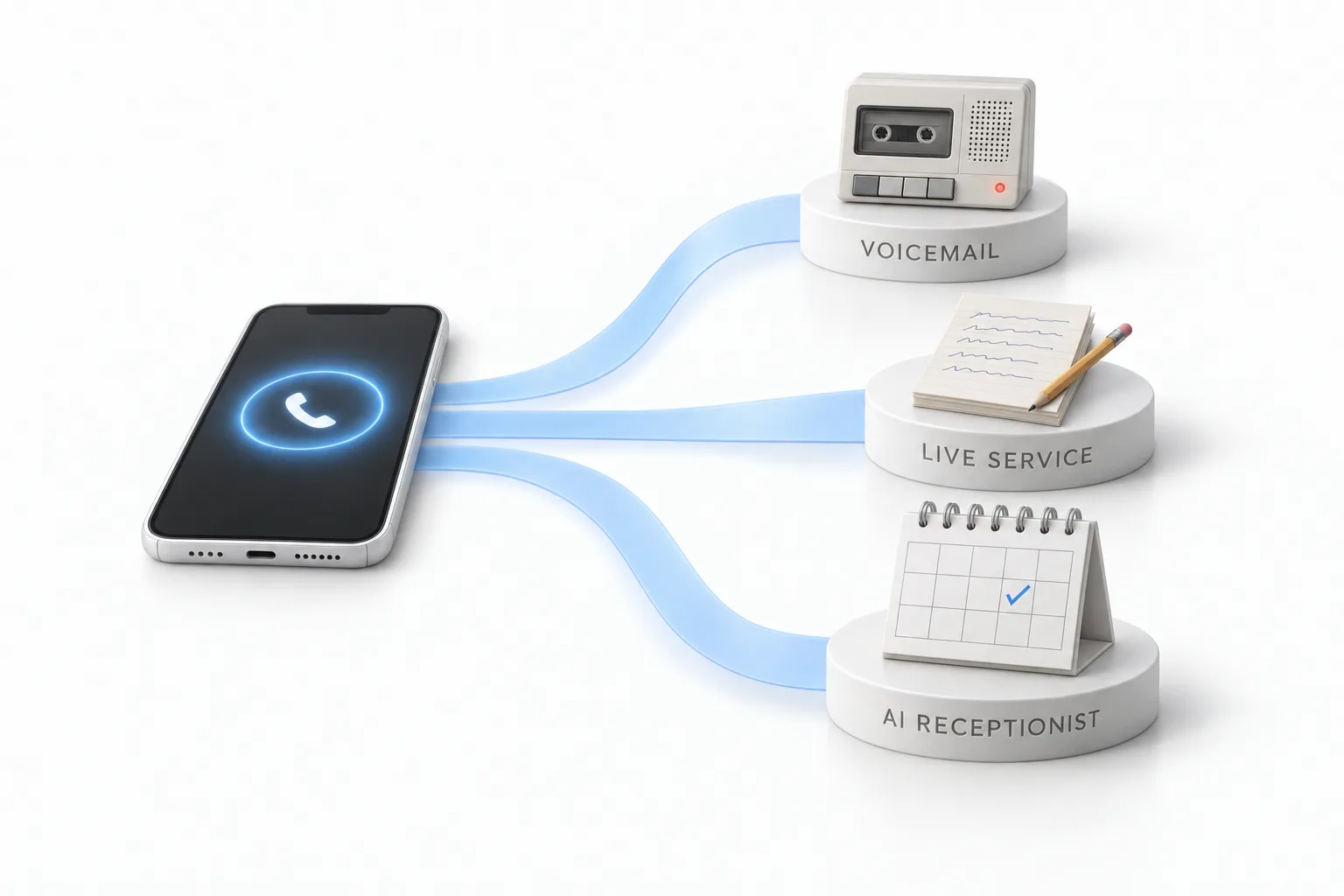
Side by side
How do voicemail, a live answering service and an AI receptionist compare?
Voicemail records the call, a live answering service takes a message, and an AI receptionist can book the appointment while the caller is on the line. The table shows what each can and cannot do after closing.
| Voicemail | Live answering service | AI receptionist | |
|---|---|---|---|
| Who answers | A recording | A live agent | An AI voice agent |
| Answers questions | No | From your script | From your knowledge base |
| Books appointments | No | Some providers, often with limits | Yes, directly on your calendar |
| Urgent calls | Wait until someone checks messages | Escalated by your script | Transferred to your on call number by your rules |
| Calls at once | All go to a recording | Depends on staffing | Several |
| What you have in the morning | Messages to return | Written messages to return | Bookings, with a transcript and summary saved with each call |
| How it is billed | Usually part of your phone service | Per minute or per call, often with monthly minimums | A monthly AI plan or pay per use, plus phone minutes |
| A person on the line | No | Yes | No, it transfers by your rules |
Live service features and pricing vary by provider, so no provider prices are listed here. AI receptionist details describe HighLevel Voice AI, from HighLevel's help center, checked November 2026.
The daytime version of this comparison, with a plan for switching, is on AI receptionist vs answering service.
By industry
Which after hours option fits HVAC, plumbing and legal calls?
An AI receptionist with a transfer rule fits most HVAC and plumbing night calls, and legal intake often still needs a person. The right choice depends on what your night calls are about.
HVAC after hours answering service. Night calls split into two kinds: no heat or no cooling right now, and people who want a visit this week. The first kind needs your on call technician. The second kind needs a slot on the calendar. An AI receptionist can do both when you write a clear rule for what counts as an emergency. Voicemail does neither.
Plumbing answering service. A burst pipe cannot wait for the morning, and a caller who reaches a recording may try the next plumber. Whichever option you pick, the test is the same. Does an urgent call reach a person who can act, and does a routine call end with a booked visit?
Legal answering service. Law firm calls are often sensitive, and many callers expect a person. A live service still fits intake that needs judgment. An AI receptionist fits routine calls, such as office hours, directions and consultation requests, with a transfer rule for anything else. Some firms run both.
The same thinking applies to dental offices, property managers and contractors. Sort last month's after hours calls by reason before you choose.
Steps
How does an AI receptionist run only after hours?
An AI receptionist runs only after hours when you set a Custom Schedule under Working Hours on the Voice AI agent. In HighLevel, which many people still call GoHighLevel, each agent has its own Working Hours. You set them on the agent, not in the prompt. A prompt tells the agent what to say. It is not a reliable clock.
- Go to AI Agents, then Voice AI, and open the agent.
- Click the Deploy tab and select the phone number or number pool the agent should use.
- Under Call Routing, choose Answer Calls Directly or Use as Backup.
- Under Working Hours, choose Custom Schedule. Select the days, then set a start and end time for each day. A schedule can run past midnight.
- Click Save.
- Go to Settings, then Phone System, and open the phone number. On its Call Forwarding tab, select Voice AI. When the agent answers directly, set the Timeout to between 0 and 3 seconds so voicemail does not pick up first.
- Call the number during open hours and again after closing.
Use as Backup is the other way to share the phone. Your team answers first, and the agent takes the calls your primary path does not answer. The full answer is on can Voice AI answer only after hours. If you have not built an agent yet, the Voice AI build guide walks through it step by step.
Know one limit. The schedule does not update itself. When your hours change for a holiday or a new season, you change the setting by hand.

Planning
What should you decide before you switch it on?
Decide how urgent calls are handled, what callers can book and who reviews the night's calls. That applies to a live service as much as to AI. Work through these in order.
- Write down what counts as urgent in your business, in plain words a new hire would understand.
- Choose who gets urgent calls at night and which number reaches them.
- List the questions callers ask most after hours, and write the answers.
- Decide what the caller can book without you, and on which calendar.
- Decide what details to collect when the call cannot be resolved.
- Pick who reviews the night's calls each morning.
If your trade gets true emergencies, say in the greeting what a caller should do when there is a danger to life or safety. No answering option replaces emergency services.
Cost
What does an after hours answering service cost?
The cost depends on which option you pick. Voicemail is usually part of your phone service. Live answering services usually bill per minute or per call, often with monthly minimums. Prices vary by provider and plan, so ask each one for a quote based on your real call volume.
HighLevel publishes its AI prices. AI Employee Growth is $50 a month and includes 100 Voice AI minutes. Unlimited is $97 a month under fair use. Both are per subaccount, and without a plan Voice AI is pay per use. Phone charges are separate and apply to every call. Your HighLevel plan sits underneath.
The line by line breakdown is on AI receptionist cost, and GoHighLevel pricing covers the plans. Compare the options on what each call produces, not on price alone.
HighLevel rates from AI Product Pricing, November 2026.
Mistakes
What mistakes do people make with after hours coverage?
The most common mistake is putting business hours in the prompt and expecting the agent to keep time. These are the ones to check.
- Putting business hours in the prompt and not in the Deploy tab
- Skipping the Call Forwarding setting, so calls never reach the agent
- Leaving out a path to a person for urgent calls
- Going live without a real phone call test of the transfer
- Forgetting to change the schedule for holidays
- Never listening to the first week of night calls
Most of these show up in one evening of testing. You can build the agent, set the schedule and place real calls during the GoHighLevel 30 day trial through Michael's link. HighLevel's standard trial is 14 days.

Call your own number tonight after you close. Whatever happens on that call is what your customers get. Start there, then decide which of the three you need.
Questions
Common questions.
What is an after hours answering service?
An after hours answering service handles the calls that come in when your business is closed. It can be voicemail, a live service where a person takes a message or follows your script, or an AI receptionist that answers, books appointments and transfers urgent calls by your rules.
Can an AI receptionist answer only after hours?
Yes. In HighLevel, open the Voice AI agent's Deploy tab and set Working Hours to a Custom Schedule, then pick the days and times the agent should answer. A Custom Schedule can run past midnight, so one agent can cover nights and weekends while your team answers during the day.
What happens to an urgent call after hours?
It depends on the option. Voicemail holds the message until someone checks it. A live answering service can follow your escalation script. An AI receptionist can transfer the call to your on call number when you add a call transfer and write the rule for it. Test that transfer with a real phone call before you rely on it.
How much does an after hours answering service cost?
Live answering services usually bill per minute or per call, often with monthly minimums, and prices vary by provider. On HighLevel, AI Employee Growth is $50 a month with 100 Voice AI minutes and Unlimited is $97 a month under fair use, per subaccount. Phone charges are separate, and your HighLevel plan sits underneath.
Is an AI receptionist or a live answering service better after hours?
For routine calls and booking requests, an AI receptionist usually fits better, because the caller leaves with an appointment and not a promise of a call back. Keep a live service when callers need a person every time or when calls are sensitive by nature. You can also run both.
How long is the HighLevel free trial?
HighLevel's standard trial is 14 days. Through Michael's link it is 30 days. Usage fees for phone, SMS, email and AI can apply during the trial. That gives you 30 days to build the agent, set its after hours schedule and place real test calls before the first invoice.
Next step
See it in your own account. Thirty days, every feature.
Start a trial, build the first system and test it before the first invoice. Usage fees for phone, SMS, email and AI can apply during the trial.
HighLevel has three plans at a flat monthly price, each with unlimited users and contacts. See what each one includes and what it costs.
Compare the PlansStarter, Unlimited and Founder