
Home/HighLevel/Integrations/WordPress
Integrations · WordPress
HighLevel WordPress integration. Embed into it, or host it here.
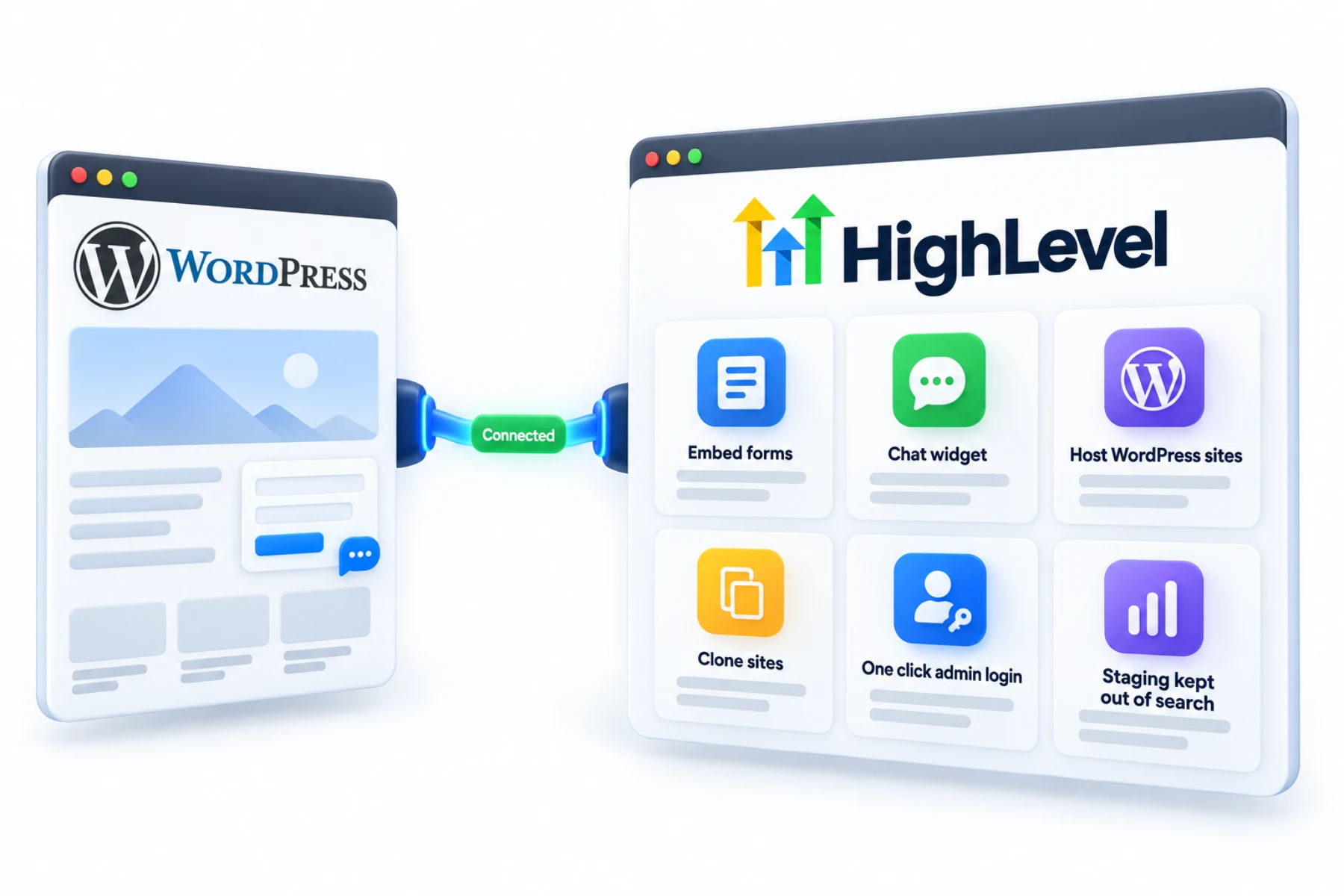
A GoHighLevel WordPress integration works in two ways: embed HighLevel forms and chat into an existing WordPress site, or host WordPress sites inside HighLevel.
The short answer
For a GoHighLevel WordPress integration, you can embed HighLevel forms and the chat widget into any WordPress site with a Custom HTML block, or use HighLevel's WordPress hosting, with one click WP Admin login, site cloning, a server location chosen at creation and a switch to disable search indexing for staging sites.
Michael is a sponsored HighLevel affiliate. Links to HighLevel use his partner link at no extra cost to you. HighLevel prices and product facts on this page come from HighLevel's own pricing page and help center, checked on the date above.
Connect
How do you connect WordPress to HighLevel?
Pick the route before you start. If the business has a WordPress site it likes, keep it and embed HighLevel into it. No plugin is needed. If you are building new, or want the site and the CRM under one login, HighLevel can host WordPress itself. Both work whether you call the platform HighLevel or GoHighLevel.
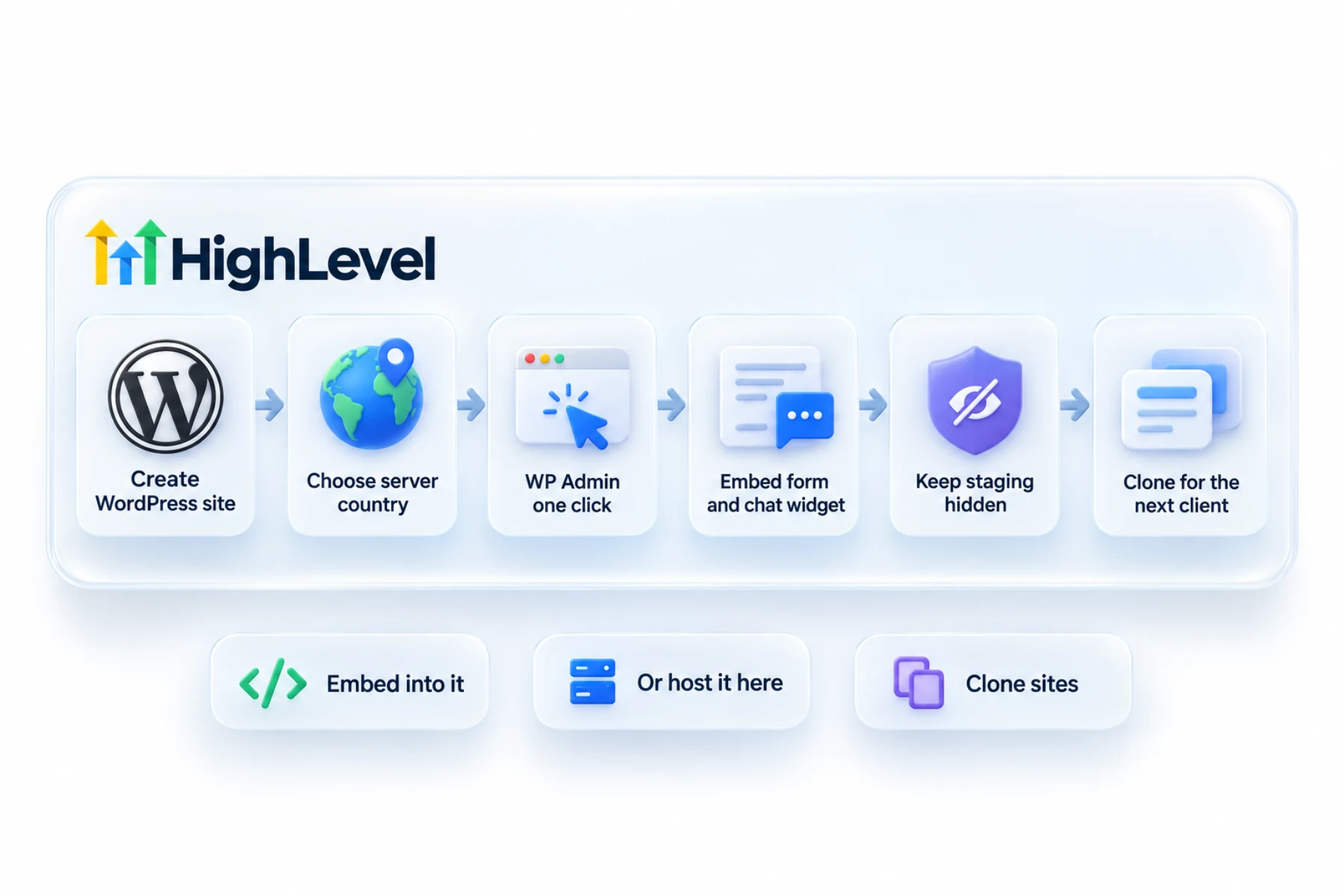
- To embed, copy the code from a HighLevel form's Integrate tab or chat widget.
- Paste it into a WordPress Custom HTML block and update the page.
- To host, create a WordPress site in HighLevel and choose the server country.
- Use the WP Admin button to log in.
- Clone a finished site to start the next one.
Uses
What can you do with WordPress and HighLevel?
Embedding is the gentle way to start a client. You open the form in Sites, Forms, copy the code from the Integrate tab, choose inline or popup, and paste it into a Custom HTML block on the WordPress page. Submissions create contacts and trigger workflows exactly like forms on HighLevel pages. The chat widget goes in the same way.
Hosting moves the site itself. You create a WordPress site inside HighLevel, choose the server country and log in with the WP Admin button. A finished site can be cloned to start the next one, and a switch keeps staging sites out of search engines.
- Embed HighLevel forms
- Add the HighLevel chat widget
- Host WordPress sites
- Clone WordPress sites
- Keep staging sites out of search
Data
What connects and what does not?
An embedded form sends its submissions to HighLevel. That is the connection. Your WordPress pages, posts and plugins stay in WordPress and are not copied into the CRM. Other forms on the site, built with WordPress form plugins, do not reach HighLevel unless you connect them another way, such as webhooks.
Hosted WordPress is still WordPress. HighLevel runs the hosting, and you still build the pages in WP Admin.
Limits
What are the limits to know about?
The hosting server location is locked once the site is created, so choose the country carefully. For embeds, the common snags are simple ones. Preview the published page, not the editor, to see the form. Use the inline embed if the form looks cut off. Clear the cache if a caching plugin is hiding the new block.
I could not verify hosting prices or plan limits from the pages I checked, so I have left them out. Look at the WordPress area in your account for current pricing before you quote a client.
In practice
Which route fits which business?
A dentist with a WordPress site that has served them for years should embed. Put a HighLevel form on the contact page and a calendar on the booking page on day one, and every enquiry starts getting followed up. Rebuild later, if ever. An agency launching new client sites can host them in HighLevel, build one good site and clone it for the next client.
To add chat, see add a chat widget to your website. To build the form itself, see build a form. If a form will not submit, fix forms not submitting has the checks. If you would sooner build the whole site in HighLevel's own builder, see build a website.
The short answer is in does HighLevel work with WordPress, and the steps are in embed a HighLevel form on WordPress. To test the WordPress connection in your own account, use the 30 day trial through Michael's link. GoHighLevel pricing lists what each plan costs, and HighLevel plans compared shows which one fits.
Deciding whether to keep WordPress at all? Read GoHighLevel vs WordPress.

Keep a client's WordPress site and embed HighLevel forms on day one. Rebuild later if ever.
Questions
Common questions.
Can I use HighLevel forms on WordPress?
Yes, by embedding them. Open the form in Sites, Forms, copy the code from the Integrate tab, choose inline or popup and paste it into a Custom HTML block on the WordPress page. Submissions create contacts and trigger workflows exactly like forms on HighLevel pages. The chat widget goes in the same way.
Does HighLevel host WordPress?
Yes. You create a WordPress site inside HighLevel, choose the server country and log in with the WP Admin button. Hosted WordPress is still WordPress: HighLevel runs the hosting, and you build the pages in WP Admin. Check the WordPress area in your account for current hosting pricing.
Can I clone WordPress sites?
Yes. A finished WordPress site hosted in HighLevel can be cloned to start the next one. An agency launching new client sites can build one good site and clone it for the next client. A switch disables search indexing, which keeps staging sites out of search engines.
Can I change server location later?
No, it is locked at creation. You choose the server country when you create the WordPress site in HighLevel, and the hosting server location cannot be changed once the site exists. Choose the country carefully before you create a site you plan to keep.
Do I need a plugin to embed a HighLevel form on WordPress?
No. Paste the embed code into a Custom HTML block. Copy the code from the HighLevel form's Integrate tab, choose inline or popup, add a Custom HTML block to the WordPress page and update the page. The same method works for the HighLevel chat widget.
Do embedded forms trigger workflows?
Yes. They behave exactly like forms on HighLevel pages. A submission from the embedded form creates a contact and can trigger a workflow. Other forms on the site, built with WordPress form plugins, do not reach HighLevel unless you connect them another way, such as webhooks.
Why is my embedded form not showing?
Preview the published page, not the editor, and clear the cache if a caching plugin is hiding the new block. Use the inline embed if the form looks cut off. If the form shows but will not submit, the fix forms not submitting guide on this site has the checks.
Next step
See it in your own account. Thirty days, every feature.
Start a trial, build the first system and test it before the first invoice. Usage fees for phone, SMS, email and AI can apply during the trial.