
Home/HighLevel/Troubleshooting/Is GoHighLevel down
Troubleshooting · Platform status
Is GoHighLevel down? Check the status page first.
When GoHighLevel is slow or will not load, the first question is whether the platform has an outage or whether the problem sits in one account, one browser or one network. Here is where to look and how to tell the difference in a few minutes.
The short answer
To see if GoHighLevel is down, open the official HighLevel status page at status.gohighlevel.com. It shows each part of the platform separately and flags incidents as Degraded or Down. If the part you use shows Operational, the problem is likely in one account, browser or network, so test another browser and another connection before you contact support.
Michael is a sponsored HighLevel affiliate. Links to HighLevel use his partner link at no extra cost to you. HighLevel prices and product facts on this page come from HighLevel's own pricing page and help center, checked on the date above.
Official source
Where is the GoHighLevel status page?
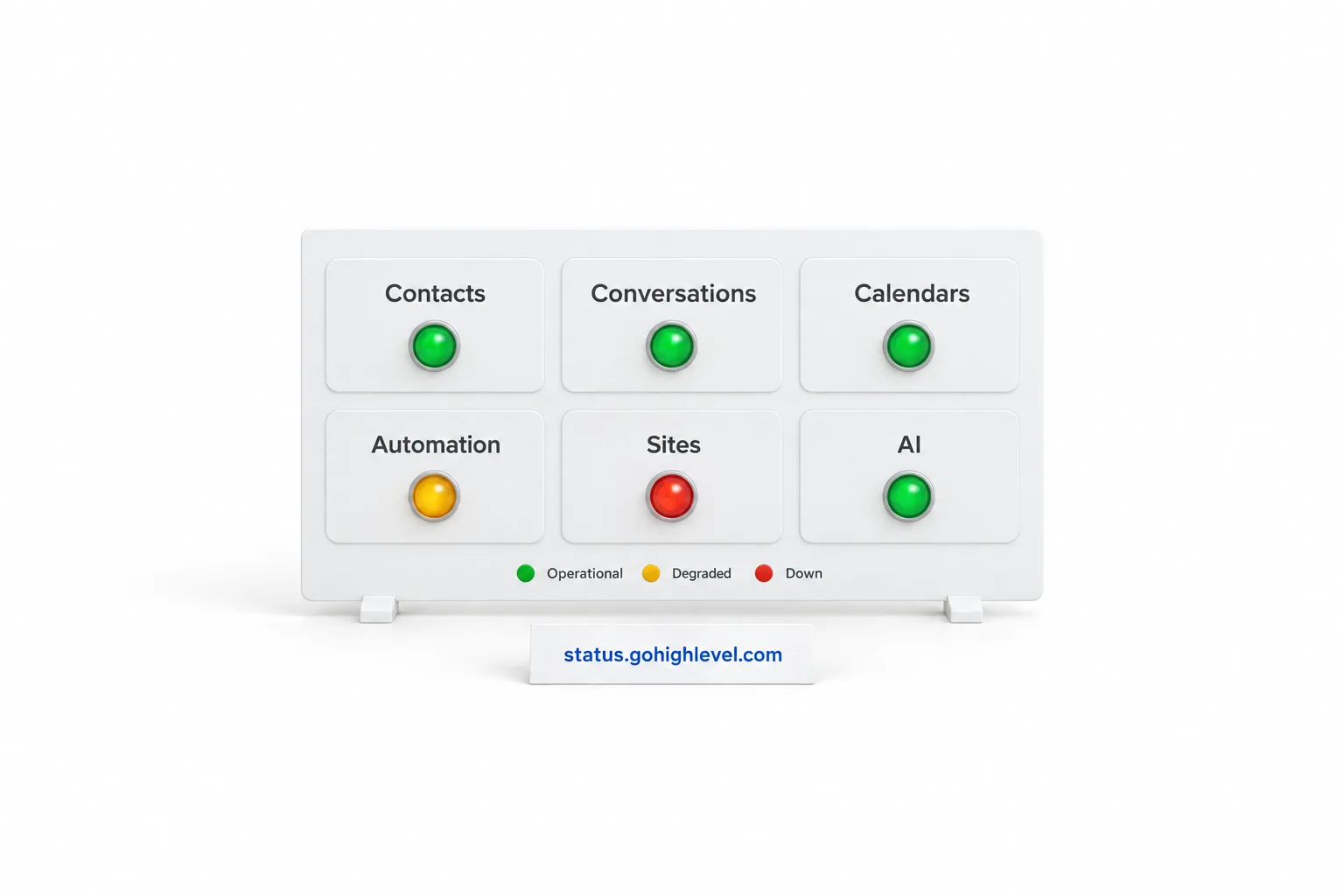
The official HighLevel status page lives at status.gohighlevel.com. HighLevel runs it, so it is the source to trust over any third party tracker. This page does not show live status. It tells you where to look and how to read what you find.
The status page splits the platform into areas instead of giving one verdict for everything. When checked on November 11, 2026, it grouped components under Main Page, Companies, Contacts, Conversations, Calendars, Opportunities, Payments, Memberships, Automation, Sites, Reputation, Marketing, Sub Account Settings, Agency, Marketplace and AI. Main Page covers the website and the app. Each component shows its own state, and incident entries use the words Degraded and Down.
Read the line for the feature that is failing for you, not only the banner at the top. One part, such as Workflows or Voice AI, can be Degraded while the rest of the account works normally.
Two other sections help. Previous incidents lists dated incidents and marks each one Resolved once it clears, which helps when something broke an hour ago and now works again. Subscribe to status updates has a Subscribe button, so you hear about incidents from HighLevel directly.
Diagnose
How do you tell a GoHighLevel outage from a problem in one account?
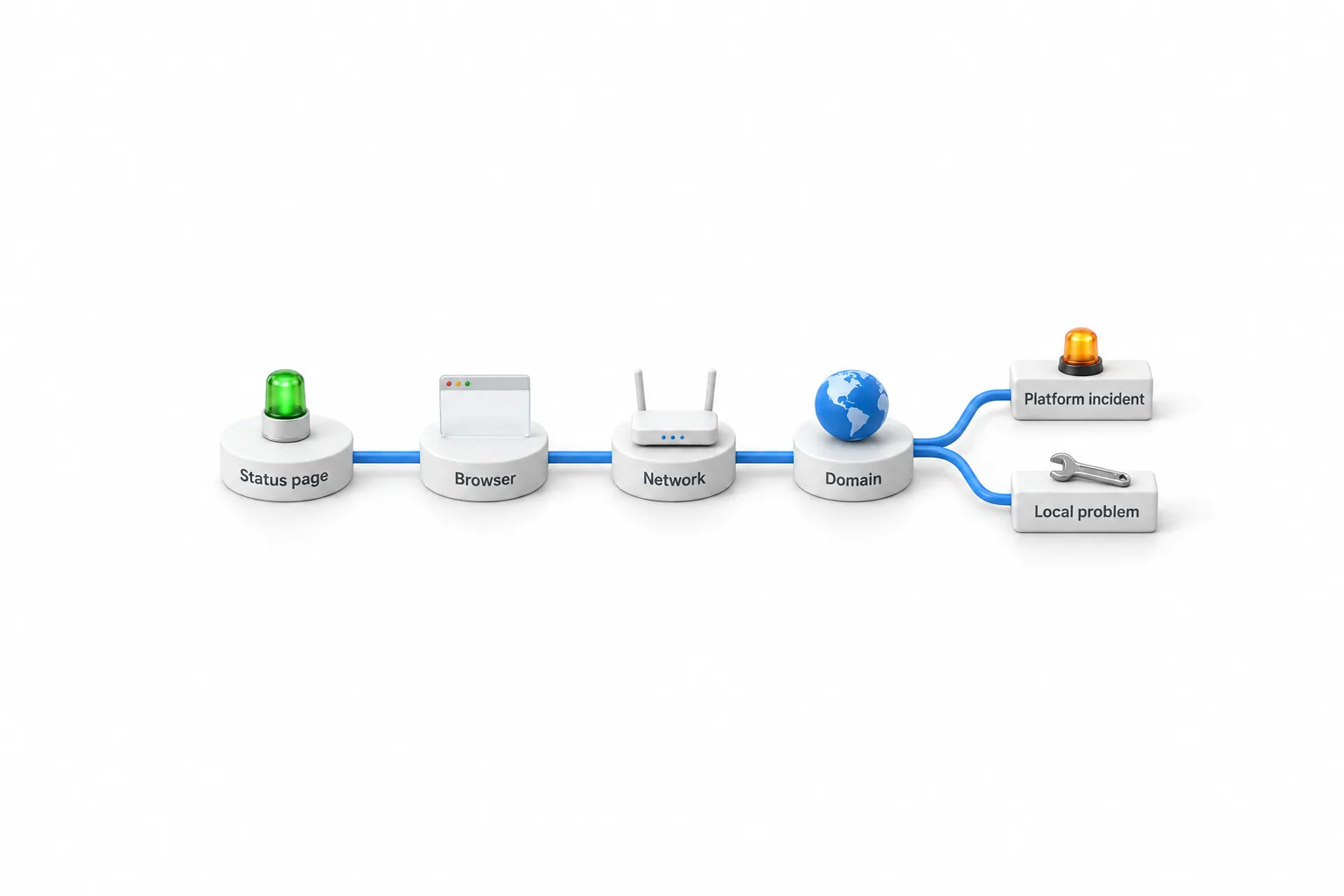
An outage hits everyone who uses that part of the platform. An account problem hits one login, one subaccount, one device or one network. The fastest test is to change one thing at a time and see if the problem follows.
| What you see | Most likely | Next move |
|---|---|---|
| Status page shows Degraded or Down for the feature you use | Platform incident | Wait, and follow the incident on the status page |
| Status page shows Operational, and the app fails in every browser and on every network | Account or domain problem | Check your login domain, then contact support |
| Works in a private window or a second browser | Browser cache or an extension | Clear the cache, turn off extensions one at a time |
| Works on a phone hotspot, fails on office internet | Network, VPN or firewall | Talk to whoever runs the network |
| The app loads, and one feature fails | A setting inside that feature, or an incident on that component | Check that component on the status page, then the matching fix guide |
| One user is affected, and others in the same account are fine | That user's login, device or permissions | Start with the login guide |
If one user is locked out while everyone else works, that is a login problem, not an outage. The GoHighLevel login guide walks through sign in, the app and security codes.
Check
How do you check if GoHighLevel is down, step by step?
To check if GoHighLevel is down, run five checks in order: the status page, another browser, another network, a specific feature, then support. Each one rules out a place where the problem can sit.
- Open the status page. Go to status.gohighlevel.com and find the component that matches what is failing. If it shows Degraded or Down, you have your answer. Stop here and wait.
- Try another browser. Open a private window first, then a second browser. If the app works there, the cause is cache or an extension in your usual browser.
- Try another network. Switch from office internet to a phone hotspot, or turn off the VPN. If the app works, the cause is the network, not HighLevel.
- Test a specific feature. If the app loads, test the one thing that failed, such as sending a message or opening a calendar. Then test something unrelated. One broken feature points to a setting or to that component.
- Contact support. If the status page shows Operational and the problem survives every test above, send it to HighLevel support with what you found.
Write down what each check showed as you go. Support needs those details, and having them ready saves a round of questions.
Slow
Why is GoHighLevel slow?
GoHighLevel usually feels slow for one of two reasons. Either a part of the platform is marked Degraded on the status page, or something between you and the platform is slowing the page down. Degraded means the component still works, with delays or errors, so slow pages during an incident are expected.
If the status page shows Operational, look closer to home. A browser with many open tabs, a full cache or a heavy extension slows any web app. So does a weak connection or a VPN that routes traffic the long way around. Close what you do not need, open the app in a private window and test a second network. If it is quick there, you have found the cause.
Slowness that affects one screen and not the rest is a clue too. Check that component on the status page before you start changing settings in the account.
Not loading
Why is GoHighLevel not loading?
When GoHighLevel will not load at all, the cause is an incident on the main app, a browser problem, a network block or a domain problem. The status page lists the main website and app as their own components, so check those two lines first.
If both show Operational, work through the browser and network checks above. A blank screen or an endless spinner that clears in a private window is cache or an extension. A page that loads on a hotspot and not on office internet is a firewall, DNS or VPN issue on that network.
Agencies have one more thing to check. If your team logs in on a white label domain and that address fails, the domain can be the problem while the platform is fine. The guide to white label domain errors covers that case.
A public page is a separate case. If the app loads for you and a funnel or website page does not load for visitors, read funnel page not loading. For everything else, the GoHighLevel troubleshooting hub lists every fix guide by feature.
During an incident
What should you do while GoHighLevel is down?
While GoHighLevel is down, leave your settings alone, tell the people who depend on the account and keep a list of follow ups. Once the status page confirms an incident, the fix is on HighLevel's side.
- Leave your settings alone. Do not rebuild workflows, reconnect integrations or change domains to fix something that is not broken on your end.
- Note the time it started and what failed. You will want that when you review the account afterward.
- Tell your team, and tell clients if you run an agency. A short note that the provider has an incident and you are watching it is enough.
- Keep a simple list of anything that needs a follow up, such as calls to return or leads to contact.
- Subscribe on the status page so the update reaches you without refreshing.
When the incident shows Resolved, check the account before you move on. Look at the feature that was affected and confirm that it works with one real test, such as a test message or a test booking. Then work through your follow up list. If something still looks wrong after the incident is closed, that is the moment to contact support.
Still stuck
How do you report a GoHighLevel outage?
Report it through Help and Support, which opens from the question mark at the top right of your agency view. From there you can start a chat, join a Zoom call or open a ticket. Only Agency Admins and Agency Users can reach HighLevel support. Subaccount users go through their agency.
Support moves faster when you hand over the facts. Have your Agency Relationship Number and the Location ID of the subaccount ready, and turn on Support Access so the team can look inside the account. Then give them what your five checks showed:
- What failed, and the exact error on screen
- The time it started
- What the status page showed when you looked
- Which browsers and networks you tested
- Whether other users or other subaccounts see the same thing
- A screenshot
If the app will not load at all, the help center at help.gohighlevel.com can be read without signing in. The answer on how to contact HighLevel support covers each route in more detail.
Not on the platform yet and checking how it holds up? See GoHighLevel pricing for the plans, or start the GoHighLevel 30 day trial through Michael's link and test it in your own account. For an honest look at strengths and limits, read the HighLevel review.

Check the status page before you change a single setting. Do not fix what is not broken.
Questions
Common questions.
Is GoHighLevel down right now?
This page cannot show live status. To see if GoHighLevel is down right now, open the official HighLevel status page at status.gohighlevel.com. It shows each part of the platform separately, flags incidents as Degraded or Down, and HighLevel runs it.
Why is GoHighLevel not loading for me when the status page says Operational?
When the status page shows Operational and GoHighLevel still will not load, the cause is usually on your side. Test a private window, a second browser and a second network such as a phone hotspot. If you use a white label domain, check that domain as well.
Why is GoHighLevel so slow today?
GoHighLevel can feel slow because one part of the platform is marked Degraded on the status page, or because of your browser or connection. Check the status page first, then close extra tabs, try a private window and test another network.
Can I get notified when HighLevel has an outage?
Yes. The HighLevel status page has a Subscribe to status updates section with a Subscribe button. Use it to hear about incidents from HighLevel directly.
How do I report a GoHighLevel outage?
Report it through Help and Support, which opens from the question mark at the top right of your agency view. Start a chat, join a Zoom call or open a ticket. Only Agency Admins and Agency Users can reach HighLevel support, so subaccount users go through their agency.
Next step
See it in your own account. Thirty days, every feature.
Start a 30 day trial through Michael's link, build the first system and test it before the first invoice. Usage fees for phone, SMS, email and AI can apply during the trial.
HighLevel has three plans at a flat monthly price, each with unlimited users and contacts. See what each one includes and what it costs.
Compare the PlansStarter, Unlimited and Founder