
01Who this is for
- Independent electricians who need a searchable online presence to attract local customers.
- Small electrical firms that want to automate review requests and follow up leads.
- Regional electrical service providers seeking to track SEO performance without extra software.
02Lead generation and SEO, explained
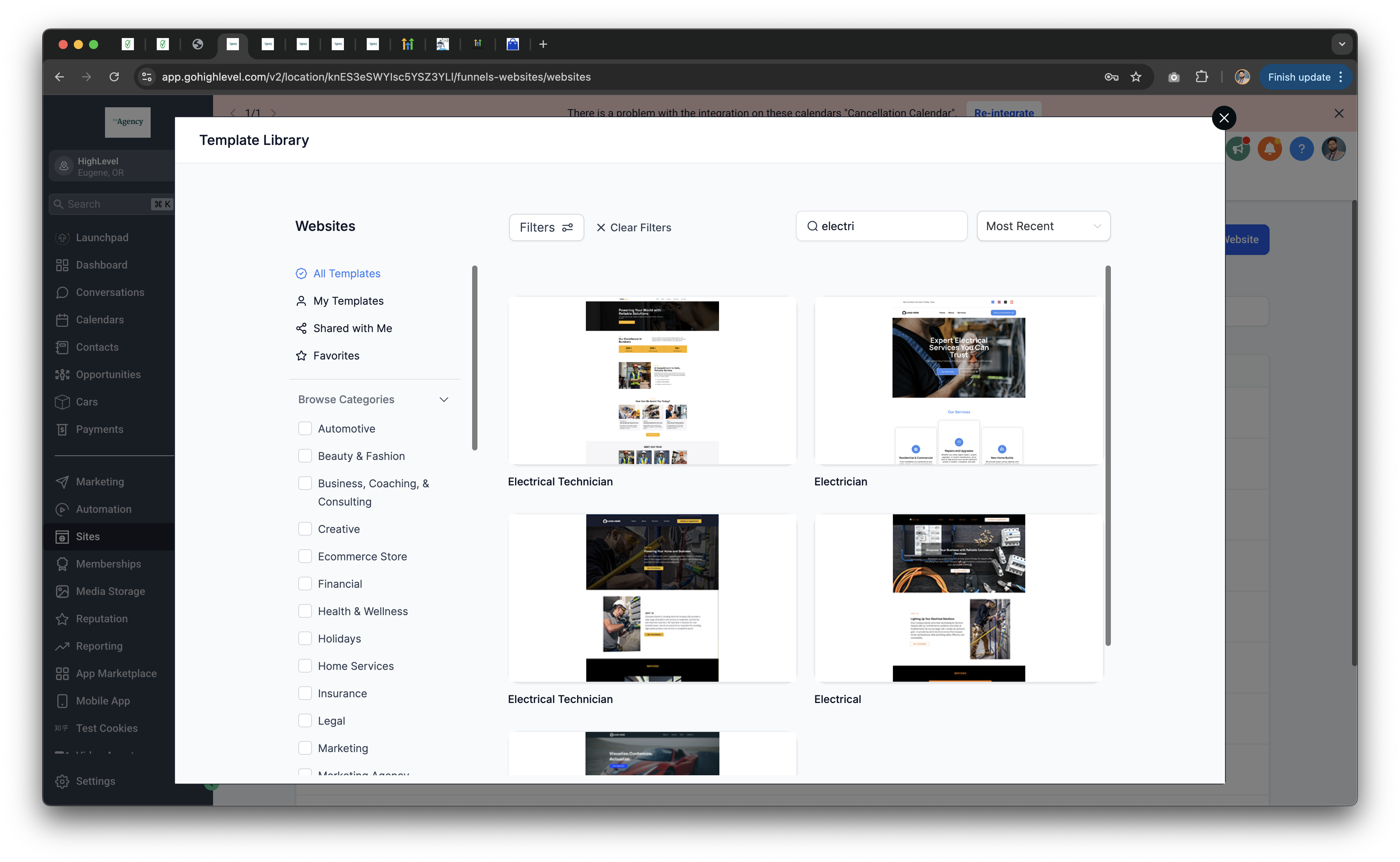
HighLevel provides a suite of tools that let electricians manage their Google Business Profile, build and optimize a website, and monitor lead generation. The platform connects a call tracking number to the profile, sends automated review requests, and offers a dashboard for SEO metrics. All functions reside inside the HighLevel account under the website builder, SEO settings, Reputation Management and Social Media Planner sections.
The workflow starts with claiming the Google Business Profile, then linking it to HighLevel so texts route to a call tracking number. Next, a mobile responsive site is created from electrician templates, enriched with city specific keywords and lead capture widgets. Finally, the SEO & Lead Tracking Dashboard reports calls, reviews and keyword traffic, allowing continuous adjustments.
03How businesses use lead generation and SEO
- Residential electrical contractor. The contractor claims their Google Business Profile, publishes regular posts, and enables messaging. They then build a fast site using an electrician template, add city specific keywords and a chat widget to collect estimate requests.
- Commercial electrical services firm. The firm connects a HighLevel call tracking number to its profile, automates SMS review requests after each job, and adds sticky booking forms to every page to drive quick project inquiries.
- Electrical maintenance subscription service. The service lists its business on local directories, writes guest posts for home improvement blogs, and monitors keyword rankings and lead volume from the SEO & Lead Tracking Dashboard to refine its content strategy.
04Before you start
- An active HighLevel account is required before any steps can be performed.
05How to set up and use lead generation and SEO in HighLevel
Rank higher in Google local search results
- Confirm that the business name, address and phone number match the website information.
- Add service areas, list offered services and set accurate hours of operation.
- Claim or add the Google Business Profile using the provided instructions.
- Purchase a HighLevel call tracking number and assign it to the profile.
- Connect the Google Business Profile to HighLevel so calls and texts route through the tracking number.
- Enable messaging to receive text messages from prospective clients.
- Schedule and publish regular updates through the Social Media Planner.
Improve your website for local SEO
- Select an electrician specific website template and publish it.
- Publish the site to ensure fast load times on all devices.
- Insert city and service area terms into page content, headings and meta tags.
- Edit the SEO Meta Data section to reflect local keywords.
- Add the HighLevel chat widget to the site pages.
- Place a customized contact form or exit intent pop up offering a free estimate.
Optimize your website for Google rankings
- Embed target local keywords such as “Top Rated Electrician in [City]” into homepage, service pages and footer.
- Research high performing local keywords and select the best ones for content.
- Use the website builder’s optimization tools to improve page speed.
- Add “Call Now” buttons and sticky booking forms on every page, especially for mobile viewers.
Build high quality local backlinks
- Submit the business to local directories like Yelp, Angi, HomeAdvisor and Thumbtack.
- Join the local chamber of commerce website and add the business listing.
- Create guest posts with electrical safety tips for local home improvement blogs to earn backlinks.
Track SEO and lead generation performance
- Open the SEO & Lead Tracking Dashboard inside HighLevel.
- View the count of calls and leads that originated from Google.
- Check review growth and engagement metrics for the Google Business Profile.
- Identify which pages and keywords are generating the most traffic.
- Adjust keyword usage, content or CTA placement based on the displayed data.
06What it looks like in HighLevel
07Settings that matter
- SEO Meta Data. Controls the title tags, meta descriptions and other on page SEO attributes for each website page.
- Review Request Messages (SMS/Email). Defines the content of automated messages sent after a job to ask clients for a review.
08How it connects to the rest of HighLevel
- Step by step guide for electricians to claim and optimize a Google Business Profile Electrician GMB guide
- Automation guide for booking appointments and sending invoices Bookings & invoices
- Overview of HighLevel pricing and plan options Pricing
Michael's take

If the extra jobs you obtain from higher rankings offset the time you spend setting up the profile, website and automation, the system may feel worthwhile. The automation can reduce the need for constant phone calls and emails, which many electricians appreciate.
If you’re already busy and the time required to claim listings, fine tune SEO, and manage backlinks seems overwhelming, focusing on word of mouth referrals might feel like a more manageable use of limited time right now.