
01Who this is for
- Agency owners that manage multiple health care clients and need a contract level safeguard for patient data.
- Marketing firms that create funnels for clinics and must store intake forms containing protected health information.
- Practices that use HighLevel for appointment reminders, messaging or billing and require encrypted storage and MFA.
02HIPAA compliance, explained
The HIPAA add on is an optional upgrade that applies to the whole agency after purchase. It encrypts every piece of electronic protected health information, logs access events and forces multi factor authentication. A signed Business Associate Agreement is generated automatically and can be edited inside the platform.
The purchase flow lives under Settings > Compliance. After the BAA is signed, the agency owner must go to each subaccount’s Advanced Settings and flip the HIPAA toggle to activate protection for that location. The toggle, once turned on, cannot be turned off.
03How businesses use HIPAA compliance
- Dental practice. The practice purchases the HIPAA add on, signs the generated BAA, then enables HIPAA for its subaccount. All patient contacts, reminders and form submissions are stored encrypted and accessed only after MFA verification.
- Physical therapy clinic. The clinic buys the compliance package, updates signer details in the BAA, and switches the HIPAA toggle on for its subaccount. Intake forms, notes and appointment data are protected by server side encryption.
- Telehealth startup. The startup adds the HIPAA add on, signs the BAA within Documents & Contracts, and turns on HIPAA for its subaccount. Call recordings, messages and calendar events inherit the encryption and MFA rules.
04The numbers and rules that matter
- $297 per month (per HighLevel's help center, checked November 2026).
- Encryption uses 256 bit Advanced Encryption Standard.
05Before you start
- The agency must be on any active HighLevel plan.
- The user needs permission to access Settings > Compliance.
06How to set up and use HIPAA compliance in HighLevel
Subscribe to the HIPAA compliance package
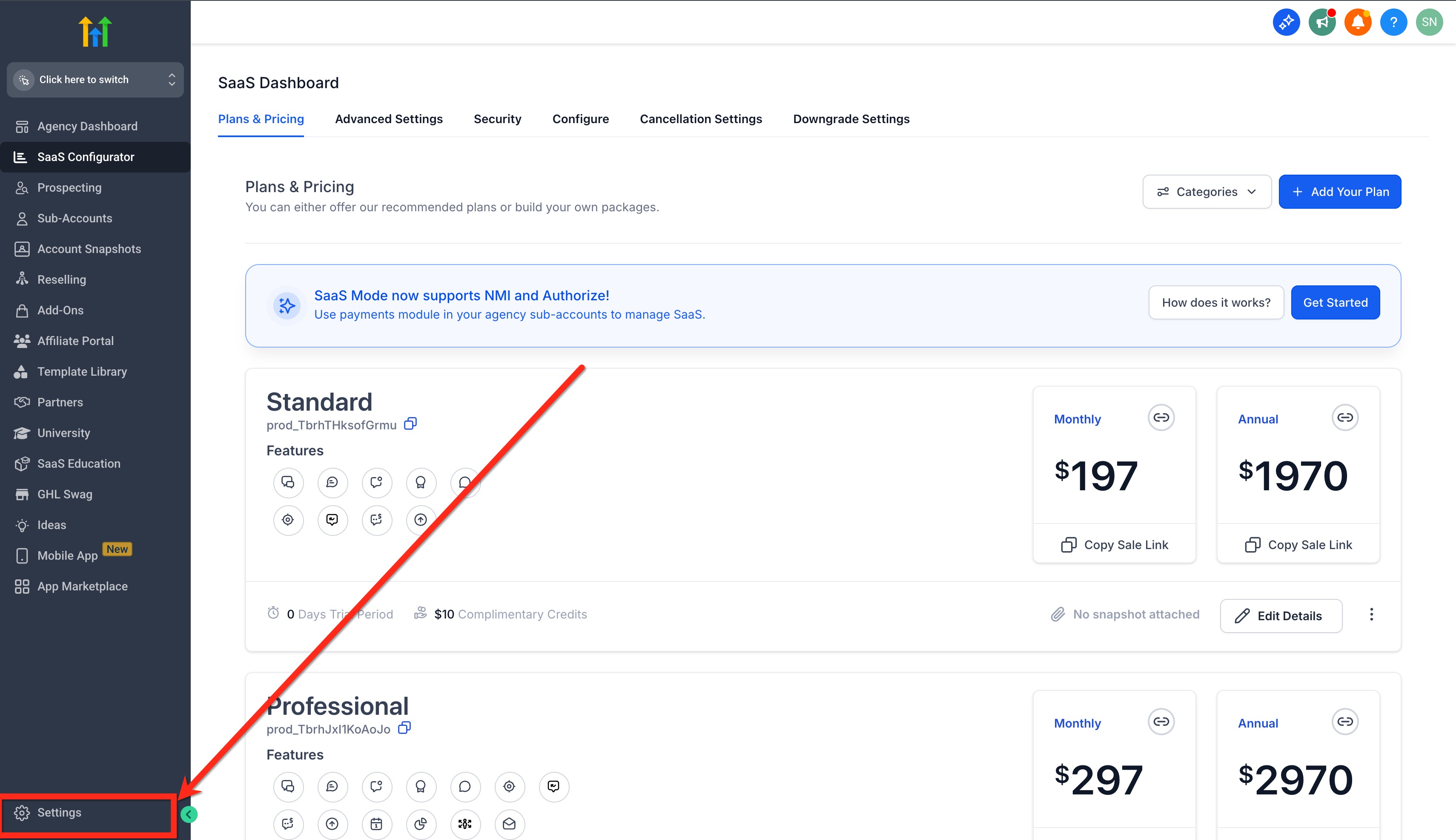
- Open Settings from the agency dashboard.
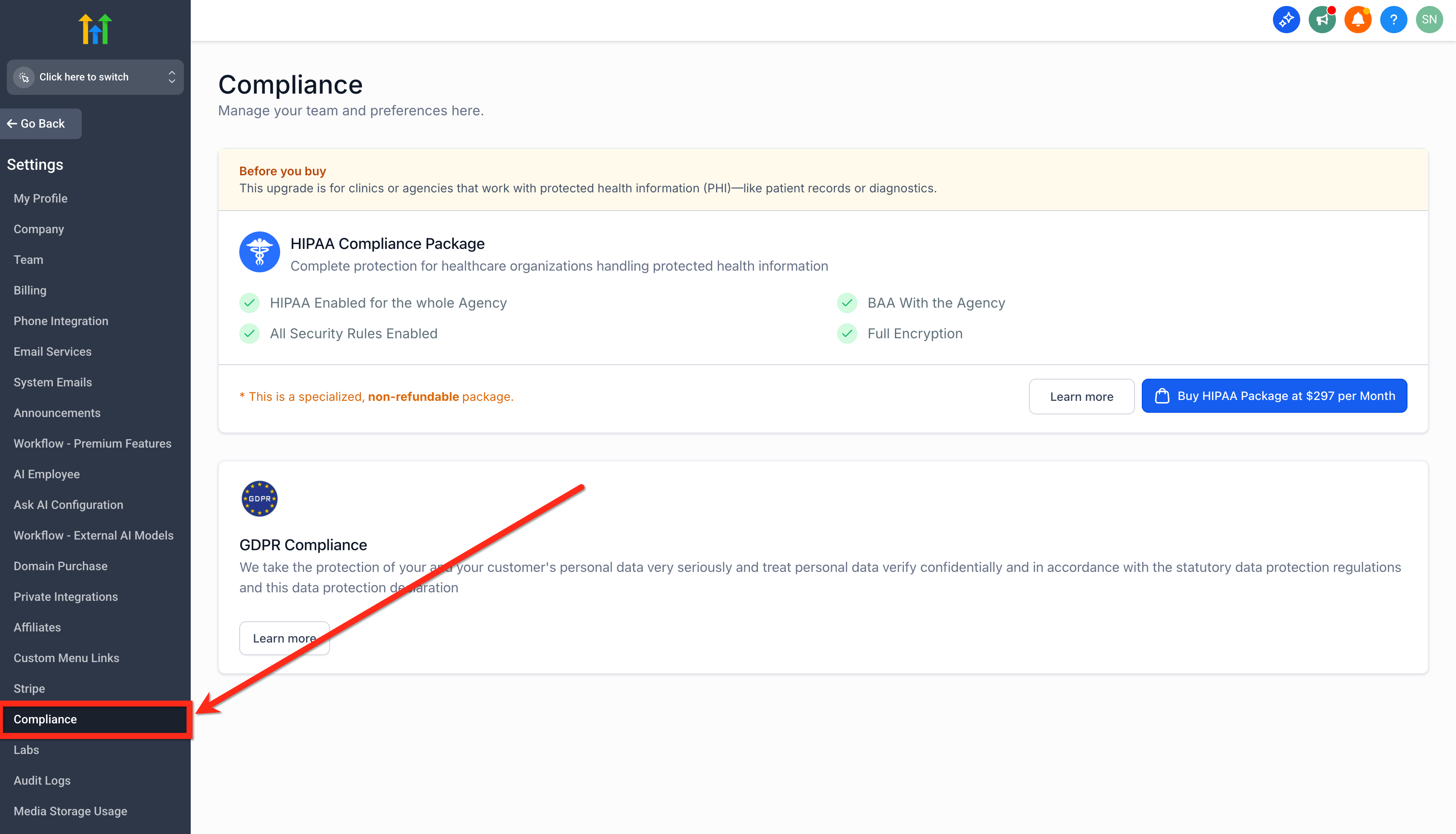
- Select the Compliance option.
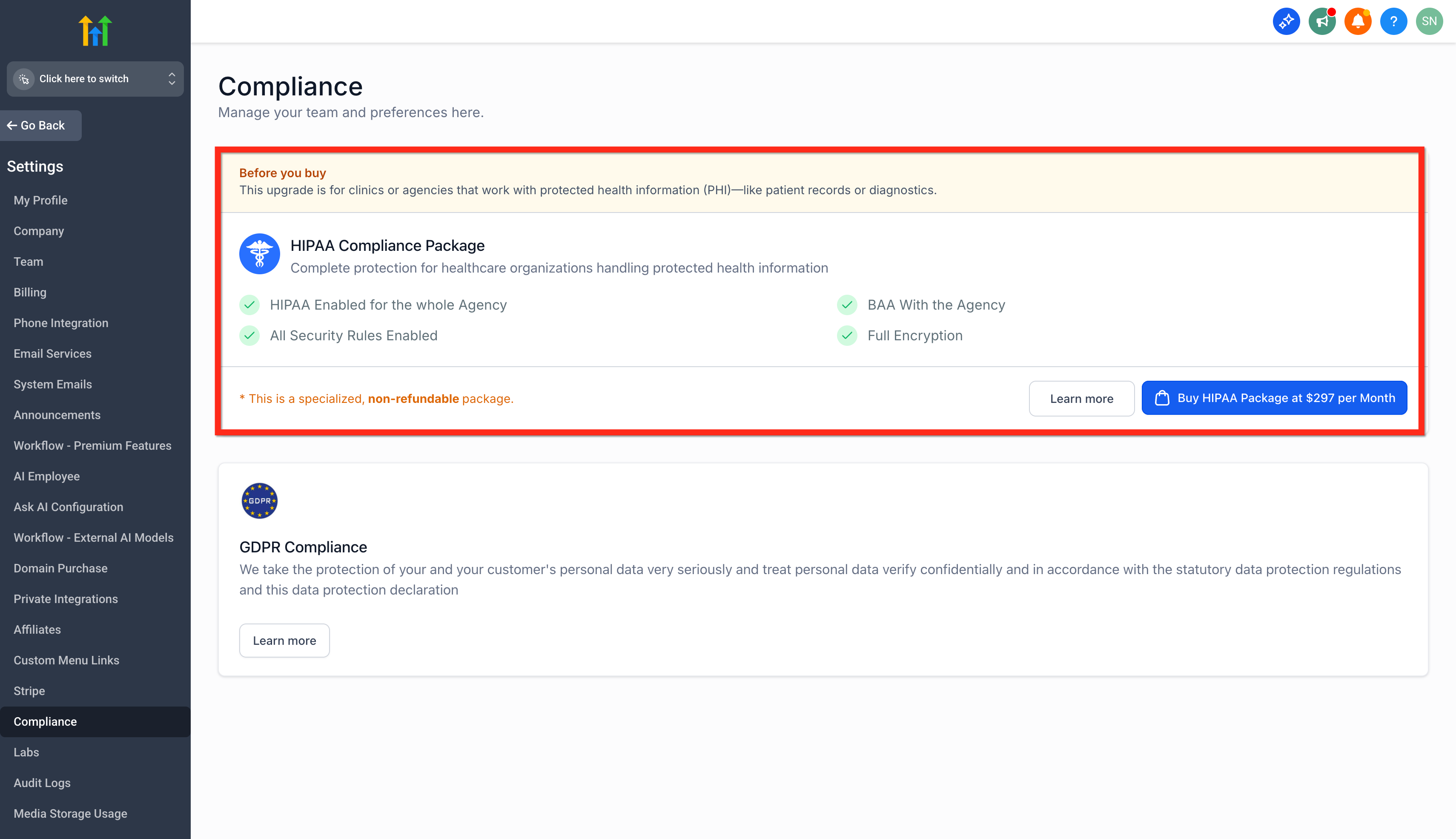
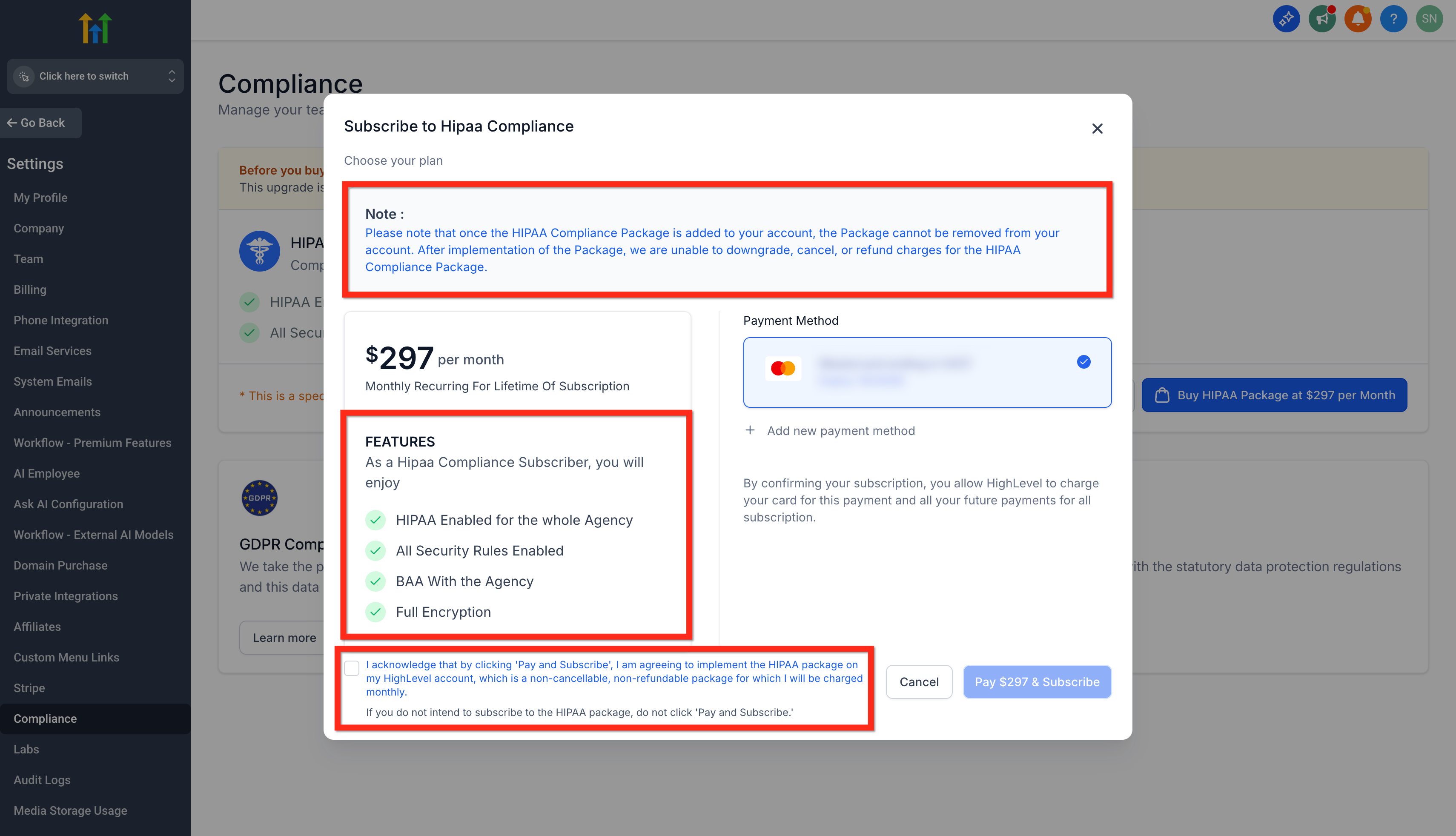
- Read the information presented in the Before You Buy section.
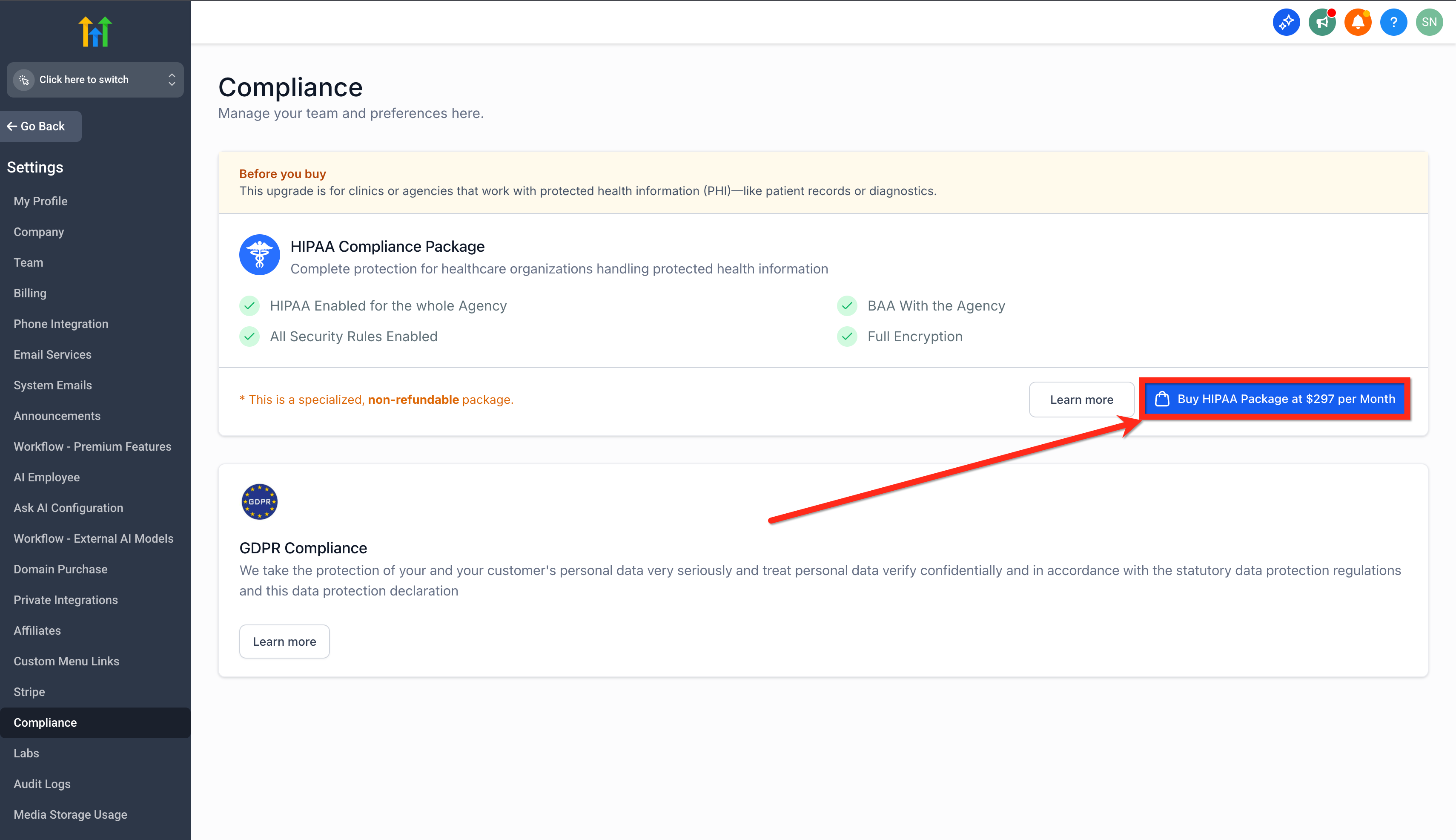
- Click the button labeled Buy HIPAA Package at $297 per Month (per HighLevel's help center, checked November 2026).
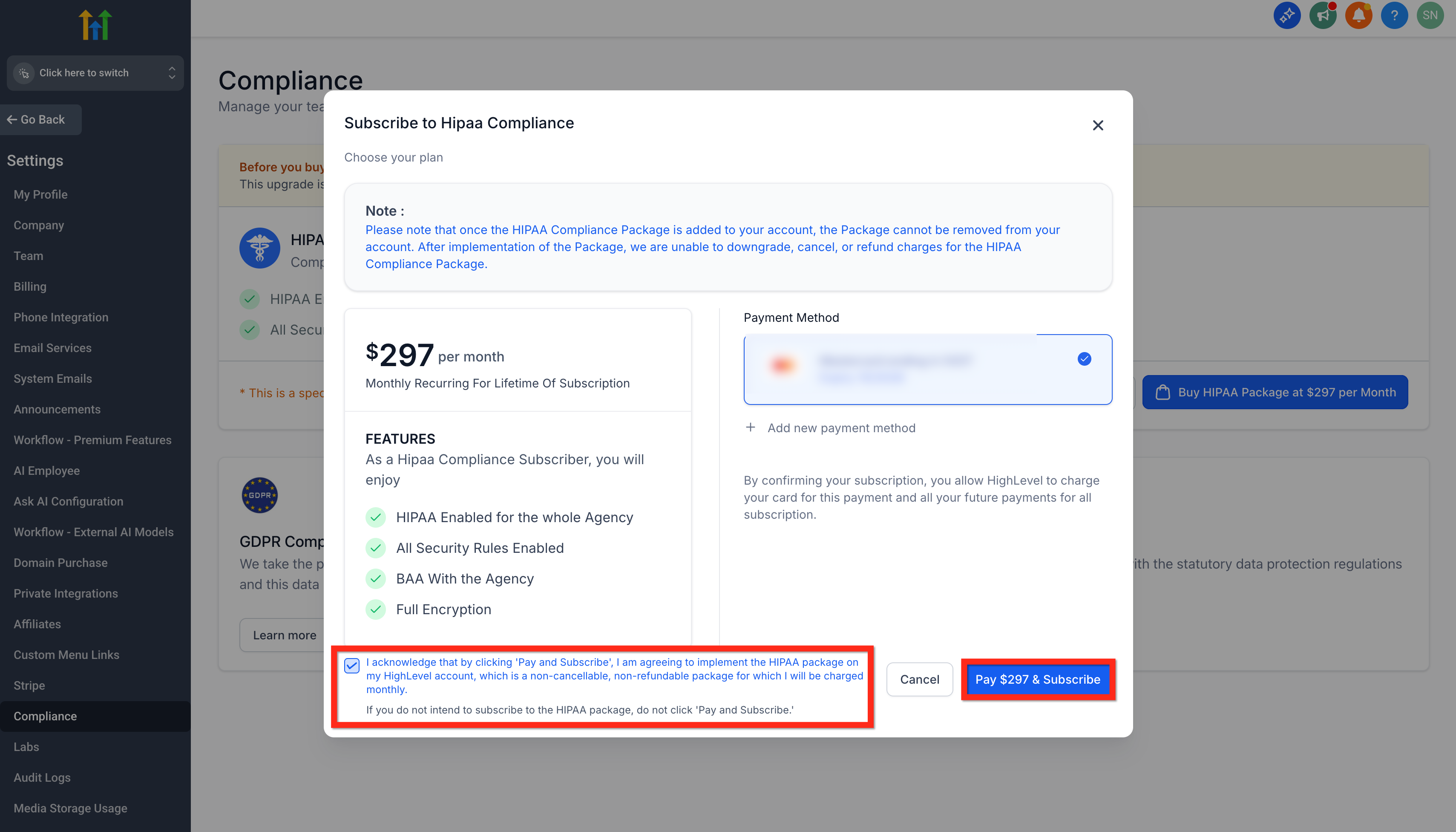
- Review the note, feature list and acknowledgement details.
- Mark the acknowledgement checkbox to confirm acceptance.
- Press Pay $297 & Subscribe to complete the purchase (per HighLevel's help center, checked November 2026).
Enable HIPAA for a subaccount
- Navigate to Subaccounts and choose the target subaccount.
- Open Advanced Settings for that subaccount.
- Toggle the HIPAA switch to ON.
07What it looks like in HighLevel
08Settings that matter
- HIPAA toggle. Turns HIPAA protection on for the selected subaccount; once activated it cannot be turned off.
- Acknowledgement box. Confirms the user’s agreement to the purchase terms before the subscription is processed.
09Things to know before you rely on it
- The add on costs $297 per month (per HighLevel's help center, checked November 2026).
- After purchase, the package cannot be canceled, refunded, removed or downgraded.
- HIPAA protection for a subaccount, once enabled, cannot be deactivated.
- Only agencies on any HighLevel plan are eligible to subscribe.
10If something goes wrong
- User cannot access HIPAA settings. Check and adjust the user’s assigned permissions in the platform.
11How it connects to the rest of HighLevel
- Overview of HighLevel security and compliance features Security overview
- Review HighLevel pricing and plan options Pricing page
- Explore all compliance related capabilities Compliance features
Michael's take

HIPAA compliance is a real cost for a small practice, but the encryption, audit logs and built in BAA can protect you from costly breaches and keep you on the right side of the law. The $297 monthly fee is worth it when you’re handling any patient data.
Don’t forget to turn the HIPAA toggle on for each subaccount after the BAA is signed, or the protection never activates.